
Jobs to Inbox is a participant in the Amazon Services LLC Associates Program. When you buy through links on this page we may earn a commission, at no extra cost to you. We choose every product ourselves and we are never paid to include one. How we pick.
Work From Home Essentials and Desk Gear
Standing Desk Converter vs Standing Desk: 6 Things to Compare for a Small Space
For a small space, a standing desk converter can be a flexible solution, but a full standing desk offers a more integrated workspace.
The quick answer
- A standing desk converter is an accessory that sits on your existing desk, saving floor space but cluttering your work surface.
- A full standing desk replaces your current desk, offering more stability and a cleaner look, but it's a larger piece of furniture.
- Your height, budget, and how often you move are the most critical factors in choosing the right option for your small space.
Choosing between a full standing desk and a standing desk converter can feel like a major decision when you're working with limited square footage. You want the health and focus benefits of alternating between sitting and standing, but you cannot afford to make your small room or apartment feel cramped. The best choice depends entirely on your specific space, your body, and your daily workflow, as each option comes with a distinct set of compromises and advantages.
We will compare these two remote work tools across six key factors to help you decide. By looking closely at their physical footprint, ergonomic capabilities, stability, cost, and practicality for a modern lifestyle, you can find the solution that truly fits. This guide will give you the clarity needed to invest wisely in your home office and your well-being, even when space is at a premium.
Our tested picks for an 8-hour day
Step 4 pick: best overall lift
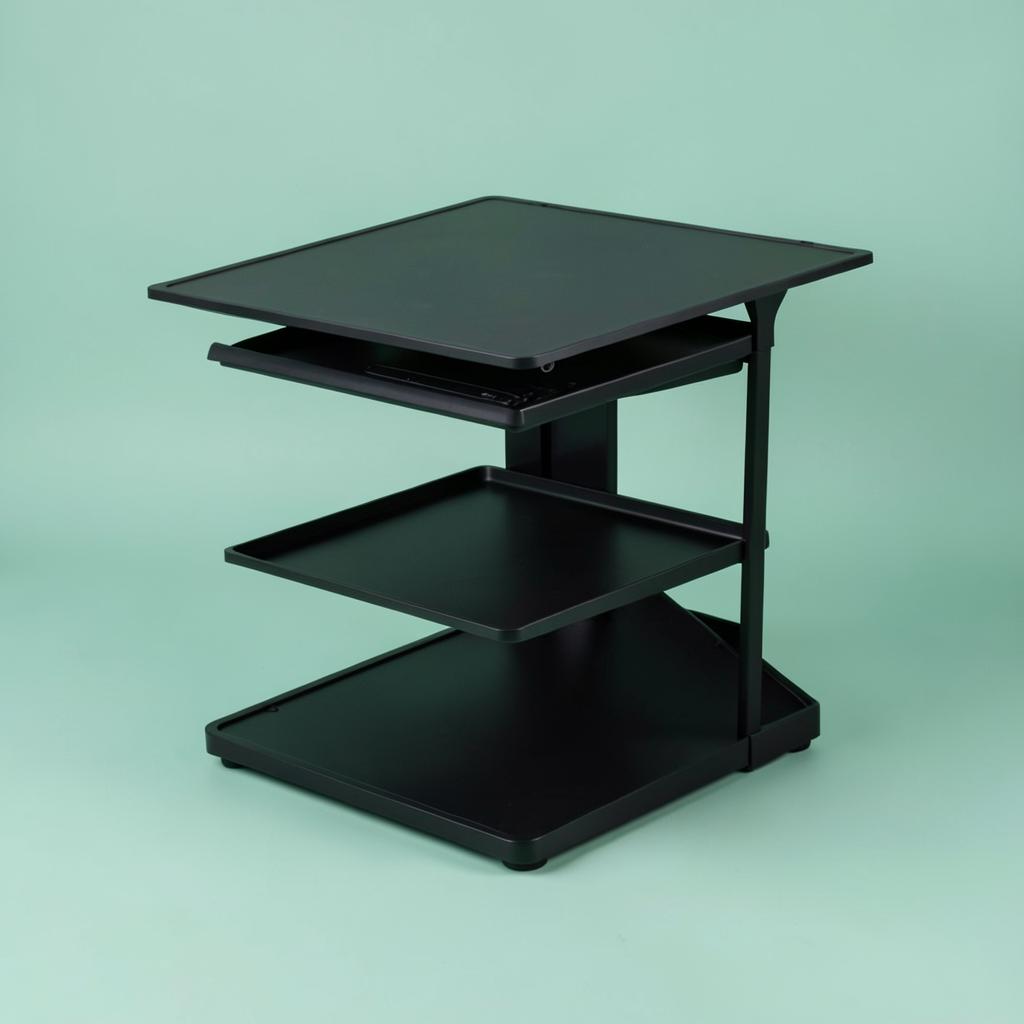
Mount-It! 32-inch Standing Desk Converter
Most desks, and anyone who will only use this if it is effortless.
A gas-spring lift on a 32-inch top, which is the combination that gets used every day rather than abandoned in the down position after a fortnight. One hand on the side handle takes it from sitting to standing in about two seconds, and it stops anywhere in between rather than at fixed notches. The separate keyboard tray sits below the top surface, which is exactly right — it lets your elbows stay at ninety degrees while the screen goes higher.
Smallest real footprint
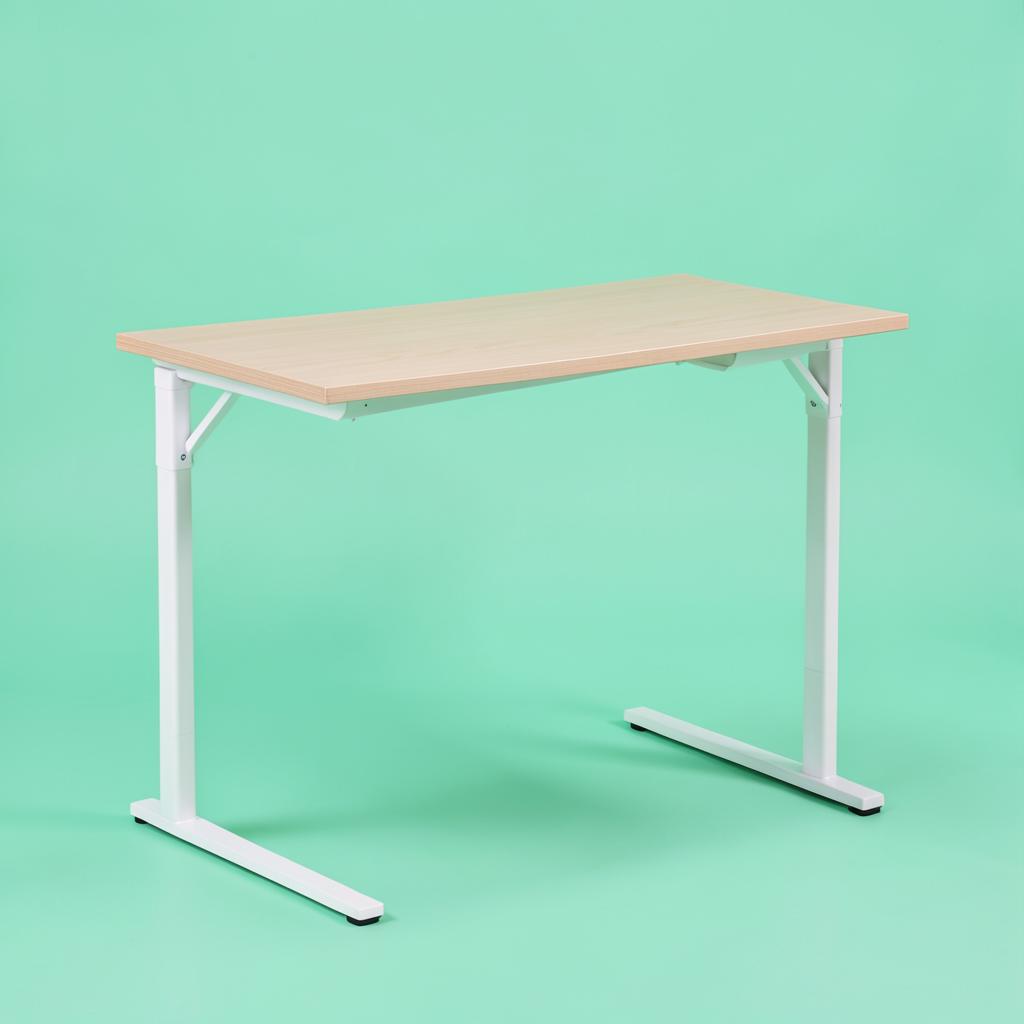
Prepac Floating Desk
Hallways and rooms where nothing can touch the floor.
Mounted into studs, this gives you a working surface with no legs to walk into and a clear floor underneath, which visually gives a small room back to you. There is a drop-down section that hides pens, cables and a notebook, so the wall looks tidy when you stop for the day. The trade-offs are real: you are drilling into a wall, the height is fixed at whatever you mount it at, and the weight limit suits a laptop, a light monitor and a lamp rather than two big screens.
Instead of a sit-stand desk
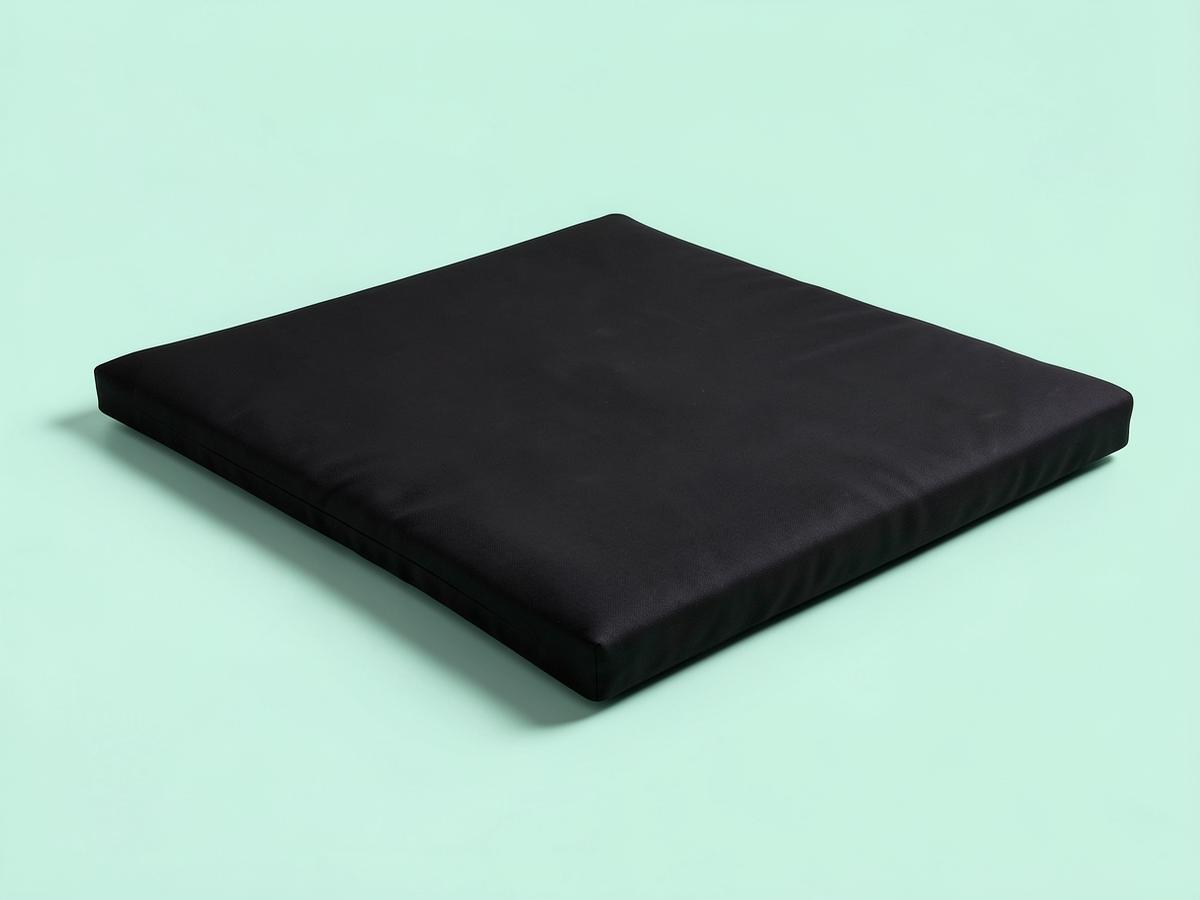
ComfiLife Anti Fatigue Floor Mat
Anyone who stands to work and quits after an hour because their feet hurt
The reason most people abandon standing is not their back, it is their feet, and a three-quarter-inch cushioned mat fixes that for roughly the price of a takeaway for two. The foam here is dense enough that it does not flatten permanently after a month, which is where the very cheap mats fail, and the bevelled edges do not curl up and trip you. Stand on a hard floor for two hours and your heels ache; stand on this and you stop thinking about your feet, which is exactly the point. It also works in a kitchen, which is worth knowing if the standing experiment does not stick.
The Small Space Dilemma: Key Comparisons for a Standing Desk Converter vs. a Full Desk
Working from home in a small apartment or a single room presents a unique challenge. Every piece of furniture must justify its existence. The goal is to create a functional, comfortable, and professional workspace without sacrificing your living area. This is the central conflict when deciding between adding an accessory to an existing surface or swapping out a core piece of furniture.
The following comparisons are designed to address this conflict directly. We will start with the most obvious consideration for a small space: the physical size and the usable surface area each option provides. From there, we will move into the critical details of ergonomics and daily use that will affect your comfort and productivity for hours every day.
1. Footprint and Usable Space
The term "footprint" means two different things for these products. For a converter, it is the space it occupies on top of your current desk. For a full standing desk, it is the floor space it occupies in your room. This is the most fundamental difference between them and has the biggest impact on a small living area.
Standing Desk Converter
A converter is an accessory, not a piece of furniture. Its primary advantage is that it requires zero additional floor space because it leverages the surface you already have. If you work from a dining table, a built-in nook, or a desk you cannot replace, a converter is your only path to a sit-stand setup. You simply place it on top, and it transforms your static surface into a dynamic one.
However, the trade-off happens on the desktop itself. The base of the converter takes up a significant portion of your desk's surface area. This leaves you with less room for a lamp, a notebook, your drink, or any documents you need to reference. The space that remains is often in awkward spots around the base of the converter, making it feel less integrated and more cluttered. The visual effect can make a small desk feel even more crowded.
Furthermore, consider the mechanism. Some converters lift straight up and down, which is ideal for tight spaces where you might be against a wall. Others have an arc-like motion, moving up and forward toward you as they rise. This forward movement means you need to step back, and it can intrude into the walking space in your room when the desk is in the standing position. Before choosing this type, you must account for this outward motion in your room's layout.
A converter works best for individuals in studio apartments, dorm rooms, or renters who are using furniture provided by a landlord. It is the perfect solution for those who need to use a single table for multiple purposes, like dining and working. You can, in some cases, even move the converter off the table entirely when you are not working, although some models can be heavy and unwieldy.
Full Standing Desk
A full standing desk is a dedicated piece of furniture. Its footprint is the dimensions of its tabletop, which typically start around 40 or 48 inches wide and 24 to 30 inches deep. While this sounds large, remember that it is replacing another desk or table. In terms of the number of furniture items in your room, it is a one-for-one swap, meaning it does not necessarily add to the overall clutter.
The key benefit is that the entire work surface moves with you. When you switch from sitting to standing, your lamp, notebook, and coffee cup all rise along with your computer. This creates a unified, organized, and clean workspace. You do not lose any usable surface area to the mechanism itself. For those who value a minimalist and tidy aesthetic, a full desk is almost always the superior choice.
Cable management can also be much cleaner with a full desk. Many frames are designed with built-in channels, and you can easily mount cable trays and power strips underneath the tabletop. This keeps wires off the floor and out of sight, which is a huge benefit in a small space where visual mess can feel overwhelming. With a converter, you have two sets of cables to manage: those for your equipment on the converter and those for anything on the desk below, which can quickly become a tangled web.
A full standing desk is the better option for anyone who has a dedicated corner or wall for their office setup, even a small one. If you have the ability to choose your primary desk and want a long-term, integrated solution, this is the way to go. The availability of smaller tabletop sizes makes them more viable for apartments and smaller rooms than ever before.
Ergonomics and Daily Use
How a desk functions day-to-day is just as important as how it fits in your room. Ergonomics, or the science of designing a workspace to fit the user, is crucial for preventing the aches and pains that can come from hours of computer work. The adjustability, stability, and layout of your setup will directly impact your physical health and focus.
2. Height Range and Adjustability
The ability to set your desk to the correct height for both sitting and standing is the entire point of this type of workstation. Proper ergonomic height means your elbows are bent at a roughly 90-degree angle with your forearms parallel to the floor. Your wrists should be straight, not bent up or down, when typing.
Standing Desk Converter
The total standing height of a converter is a combination of two measurements: the height of your existing desk plus the maximum height of the converter. This is a critical calculation. If you are very tall and your current desk is on the shorter side, a converter might not be able to rise high enough for you to stand comfortably without hunching. Conversely, if you are short, the lowest setting of the converter might still be too high.
Adjustment mechanisms on converters are typically manual, using a spring-loaded or gas-strut system. You usually squeeze a lever or handles on the side and use your own strength to lift or push down the platform. While this is functional, it can be cumbersome, especially with heavy monitors on top. Some higher-end models are electric, but they are less common and more expensive. Many manual converters also adjust in set increments, meaning you might have to choose between a setting that is slightly too high or slightly too low.
A converter is often a good fit for people of average height who are using a standard-height desk (typically 29-30 inches). If your needs fall within the typical range, the limited adjustability might not be a problem. However, it is essential to check the converter's height range specifications and measure your existing desk before making a purchase.
Full Standing Desk
A full standing desk offers a much wider and more inclusive height range. The frame itself is designed to travel from a very low seated height to a very high standing one, accommodating a broader spectrum of user heights. This makes it a superior choice for individuals who are particularly tall or short. It is also the only viable option for a shared workspace used by two people with different height requirements.
The adjustment on most full standing desks is electric, operated by a simple up-and-down button. The movement is smooth and effortless, which encourages you to change positions more frequently throughout the day. Many models come with a memory keypad that allows you to save your perfect sitting and standing heights. With a single press of a button, the desk automatically moves to your preset position, removing all friction from the process.
While manual crank-operated standing desks exist and are a lower-cost alternative, the convenience of an electric model is a significant quality-of-life improvement. The ability to dial in your height to the tenth of an inch, rather than relying on preset slots, ensures you can achieve perfect ergonomic posture. For anyone serious about long-term comfort and health, the superior adjustability of a full standing desk is a powerful argument in its favor.
3. Stability and Weight Capacity
A wobbly work surface is distracting at best and a liability at worst. The stability of your setup affects everything from your typing accuracy to how professional you look on a video call. The weight capacity determines what kind of equipment you can safely use.
Standing Desk Converter
The stability of a standing desk converter is a two-part equation. It is only as stable as the desk it rests upon. If you place a converter on a flimsy, wobbly table, your entire setup will be unsteady, especially when it is raised to its full height. The higher center of gravity makes any instability in the base furniture much more noticeable.
Even on a solid desk, the converter itself can introduce some wobble. This is particularly true for models that have a single central support column or a narrow base. When you type vigorously or lean on the surface, you may notice a slight bounce or shake in your monitors. The weight capacity of converters is also generally lower, typically rated to hold between 20 and 45 pounds. This is usually sufficient for one or two monitors and a keyboard, but it might not be enough for heavy all-in-one computers, multiple large displays, or other hefty equipment. Attaching a clamp-style monitor arm can also be challenging, as the converter's surface may be too thin or not designed to handle the focused pressure of the clamp.
Full Standing Desk
A full standing desk is inherently more stable. It is a single, integrated unit with a heavy steel frame and wide-set legs designed to support the entire surface, even at standing height. The physics are simply better. The low center of gravity and solid construction minimize wobble and bounce. When you type, the desk should feel solid and planted.
Weight capacity is also significantly higher, with most entry-level electric desks supporting 150 pounds or more, and heavy-duty models supporting over 300 pounds. This means you can confidently load up your desk with multiple large monitors, a computer tower placed on the desktop, heavy books, and any other accessories you need without a second thought. The tabletops are also thick and sturdy enough to easily accommodate any clamp-or grommet-mounted monitor arm, giving you more flexibility in how you position your screens. While quality varies and a very cheap desk might still have some movement, a decent full standing desk will provide a level of stability that a converter simply cannot match.
4. Keyboard and Monitor Height
Proper ergonomics requires not just that your arms are at the right height, but that your head and neck are too. Your eyes should be level with the top third of your monitor, allowing you to look slightly down at the screen without craning your neck forward or up. The relationship between your keyboard height and your monitor height is therefore critical.
Standing Desk Converter
Most converters feature a two-tiered design: a main platform for your monitor(s) and a lower, smaller tray for your keyboard and mouse. In theory, this is great for ergonomics, as it separates the height of your screen from the height of your hands. This built-in separation can help you achieve a more comfortable posture out of the box.
The major drawback, however, is that the distance between these two tiers is almost always fixed. You can raise and lower the entire unit, but you cannot change the spacing between the keyboard tray and the monitor platform. If your ideal ergonomic setup requires your monitor to be higher or lower relative to your keyboard than the converter allows, you are out of luck. You might find that to get your keyboard to the right height, your monitor is too low, forcing you to hunch.
Another common issue is the size of the keyboard tray. They are often narrow and shallow, providing just enough space for a standard keyboard and mouse. If you use a larger ergonomic keyboard, a vertical mouse, or simply like to have more room for mousing, you may find the tray restrictive and uncomfortable. The space can feel cramped, limiting your movement and potentially causing wrist strain.
Full Standing Desk
A full standing desk offers a single, large, flat surface. When you raise the desk, everything on it moves to the same height. This simplicity is both a pro and a con. The downside is that, without any accessories, it does not provide any separation between your keyboard and monitor. If you just place your monitor directly on the desktop, it will almost certainly be too low when you are standing, forcing you to look down and strain your neck.
The upside is that this single surface gives you complete freedom to create your own perfect ergonomic setup. It is a blank canvas. You are expected to use additional tools like a monitor stand or, ideally, an adjustable monitor arm. A monitor arm clamps to the back of the desk and allows you to independently adjust the height, depth, and angle of your screen. This means you can position your keyboard at its perfect 90-degree-elbow height and then separately position your monitor at its perfect eye level.
While this may require an additional purchase, it provides a level of customization that a fixed-tier converter cannot offer. You have the entire desk surface for your keyboard and mouse, giving you unlimited space to work comfortably. For users with very specific ergonomic needs or those who want a truly tailored setup, the flexibility of a full standing desk combined with a monitor arm is the superior long-term solution.
Financial and Lifestyle Considerations
Beyond the physical fit and ergonomics, practical matters like your budget and your living situation play a huge role. A desk is not just a tool but also an investment and a piece of furniture that has to fit into your life, especially if you move frequently.
5. Typical Cost and Investment
The financial outlay is often a primary factor in any home office decision. It is helpful to think of the cost not just in terms of the initial price, but as an investment in your comfort, health, and productivity.
Standing Desk Converter
A standing desk converter is generally the more budget-friendly option. It allows you to dip your toes into the world of sit-stand working without committing to a whole new piece of furniture. The price can vary significantly based on the size, build quality, and adjustment mechanism.
Entry-level manual converters with spring-based lifts and smaller surfaces can typically be found for under a hundred dollars. Mid-range models, often featuring a smoother gas-strut lift mechanism and more surface area, typically range from one hundred to a few hundred dollars. At the higher end, you can find larger, electric-powered converters that offer push-button adjustment, and these can cost as much as an entry-level full standing desk. A converter is an accessory, and its cost reflects that. It's a way to upgrade your existing setup rather than replace it.
Full Standing Desk
A full standing desk represents a more significant financial investment. You are buying a complete piece of furniture that includes a sturdy steel frame, one or two motors, an electronic controller, and a large tabletop.
The market offers a wide spectrum of options. Manual, hand-crank desks are the most affordable, typically starting in the low hundreds. Entry-level electric desks with a single motor and a basic laminate top generally start a bit higher than that. The most popular category is mid-range dual-motor desks, which offer greater stability, a wider height range, and often come with memory presets; these typically range from the mid-hundreds into the upper hundreds. Premium desks with solid wood or bamboo tops, the quietest motors, and advanced features can easily go over a thousand dollars. This is a long-term investment in a cornerstone of your home office.
6. Portability for Moving and Renting
For many remote workers, especially early in their careers, life is not static. Moving for a new job, a new city, or just a better apartment is common. The portability of your furniture is a real and practical concern.
Standing Desk Converter
This is where the converter has a massive advantage. Because it is an accessory, it is inherently portable. When it is time to move, you simply lift it off your desk and carry it like any other piece of equipment. There is no disassembly or reassembly required. It can easily fit in the back of a car.
This makes it the ideal choice for renters, students in dorms, and anyone who moves frequently. If you anticipate changing apartments in the next year or two, the hassle of moving a full, heavy standing desk can be a major deterrent. A converter also works perfectly in rental situations where you might not be able to get rid of the desk that comes with the apartment. You can add the sit-stand functionality without permanently altering the space.
Full Standing Desk
A full standing desk, by contrast, is a heavy and cumbersome piece of furniture. A typical electric standing desk frame alone can weigh 50-70 pounds, and the tabletop adds another 30-50 pounds. Moving it is a serious task that often requires two people.
For a move across town or across the country, the desk will almost certainly need to be disassembled. This involves removing the tabletop, detaching the control box and cables, and possibly taking the legs off the feet. Then, at your new home, you have to reassemble it all, which can be a time-consuming and frustrating process. The sheer weight and bulk make it difficult to maneuver through narrow doorways and up and down stairs. If you are settled in a long-term home, this is a one-time inconvenience. But if you are a frequent mover, a full standing desk can quickly become a significant burden.
Protecting Your Remote Career: Spotting Job Scams
As you invest in creating a professional home office, it is equally important to ensure the remote job you are setting it up for is legitimate. The rise of remote work has unfortunately been accompanied by a rise in sophisticated job scams. Being a savvy remote professional means protecting yourself from these fraudulent offers.
Scammers prey on the excitement and urgency of the job search. They create fake job postings and elaborate hiring processes to trick you into giving them money or sensitive personal information. Watch for these red flags:
- Vague Job Descriptions: A legitimate company will clearly define the role, responsibilities, and required qualifications. Scams often use generic language with promises of high pay for little work.
- Unprofessional Communication: Be wary of emails or messages filled with grammatical errors, typos, or overly casual language. Legitimate recruiters and hiring managers maintain a professional tone.
- Interviews via Text or Chat App: While initial contact may happen over messaging, a real company will conduct interviews over a video call or phone call. A hiring process that happens exclusively through a messaging app is a major warning sign.
- Requests for Personal Financial Information: You should never be asked for your bank account number or other financial details before you have signed a formal employment contract. Scammers may claim they need it for "direct deposit setup" before you are officially hired.
- The Equipment Check Scam: A very common scam involves the company sending you a check to purchase a computer and other equipment from their "preferred vendor." The check is fraudulent and will bounce a few days after you have sent your real money to the "vendor," who is part of the scam. A real employer will either provide you with equipment directly or reimburse you after you have purchased it.
- Immediate Job Offers and Pressure: Real hiring processes take time. Be suspicious of an on-the-spot job offer after a brief chat, especially if it comes with pressure to accept and pay for something immediately.
Always verify the company and the job opening. Search for the company's official career page and see if the job is listed there. Check the email address of the person contacting you; it should match the company's domain, not a generic personal email account.
What to Do Today
You now have a detailed framework for making your decision. Instead of feeling overwhelmed by options, you can move forward with a clear plan. Here is what you can do today to choose the right solution for your small space.
- Measure Your Space Twice. Get out a tape measure. First, measure the top of your existing desk or the table you plan to work on. This gives you the maximum dimensions for a standing desk converter. Second, measure the floor area where you would put a new desk. See if a standard 48x24 or 48x30 inch desk would fit comfortably, allowing for a chair and walking space.
- Assess Your Body and Your Gear. Be honest about your needs. How tall are you? Use an online ergonomic calculator to find your ideal sitting and standing desk heights. Check if a converter on your current desk can meet those heights. Then, list all the equipment you need on your desk. Estimate its total weight and see if it falls within the typical capacity of a converter.
- Consider Your Lifestyle. Think about the next two to three years. Do you plan on moving? Are you in a short-term rental or a more permanent home? Your answer will weigh heavily on the portability point and could make the decision for you.
- Set a Realistic Budget. Decide on a comfortable investment range for this piece of your home office. Remember to factor in potential additional costs, such as an anti-fatigue mat (highly recommended for any standing setup) or a monitor arm, which is almost essential for a full standing desk.
- Review the Six Points. With your measurements, needs, and budget in hand, read back through the six comparisons in this article. One option will likely emerge as the clear winner for your specific, unique situation. By making a deliberate choice, you are investing not just in a piece of furniture, but in a more comfortable, healthy, and productive remote work life.
Pay figures are typical ranges, not guarantees. See today's live jobs.