Jobs to Inbox

Best Laptop Stands and Docks for a Two-Screen Setup

How to turn a work laptop into a proper two-screen desk: four stands and docks judged on stability, ports and one-cable setup.

4 products comparedReviewed September 6, 2026Independent · no sponsored placements

Jobs to Inbox is a participant in the Amazon Services LLC Associates Program. When you buy through links on this page we may earn a commission, at no extra cost to you. We choose every product ourselves and we are never paid to include one. How we pick.

Best Laptop Stands and Docks for a Two-Screen Setup
The short answer

The Rain Design mStand is the stand to buy if the laptop lives on the desk, and the Nulaxy C1 if it travels. For the dock, the Anker 575 handles two screens and laptop charging over one cable, which is what a two-screen setup actually needs.

Best stand overall

Rain Design mStand Laptop Stand

Check price

Almost every remote job hands you a laptop and leaves the desk to you. Worked as issued, it puts the screen a foot below eye level and your neck at an angle for eight hours — the single most common cause of end-of-day headaches among people who work from home.

The fix is two purchases. A stand lifts the laptop screen to eye level so it becomes a genuine second display instead of something you look down at. A dock turns the whole desk into one cable, so plugging in at the start of a shift takes a second and unplugging for the school run takes another.

We judged stands on whether they hold a heavy laptop without flexing, and docks on whether they drive two external screens and charge the laptop at the same time — the pairing that most cheap hubs quietly fail.

Side by side

PickMaterialHeightFitsFolds
Best stand overallRain Design mStand Laptop StandAluminium~6 in, fixedUp to 17 in laptopsNoCheck price
Best adjustable standNulaxy C1 Laptop StandAluminium alloyAdjustable10 to 17 in laptopsYesCheck price
Best dockAnker 575 USB-C Docking StationUp to 2 externalUp to 85WGigabit ethernetSingle USB-CCheck price
Best for older work laptopsPlugable UD-3900PDZ USB 3.0 Docking StationUp to 2 externalUSB 3.0 or USB-CGigabit ethernetRequiredCheck price

Prices change daily, so we don't print them. Each button opens the current listing on Amazon.

How we picked

  • Stability with a 16-inch laptop, not a tablet
  • Height that puts the top of the screen at eye level for an average seated adult
  • Docks tested driving two external displays while charging the laptop
  • Enough downstream ports for a headset, keyboard, mouse and wired network
  • Works on both Windows and Mac, since work laptops are rarely a choice
01

Best stand overall

Rain Design mStand Laptop Stand

A laptop that stays on one desk.
Rain Design mStand Laptop Stand — Best Laptop Stands and Docks for a Two-Screen Setup
Illustration — category example

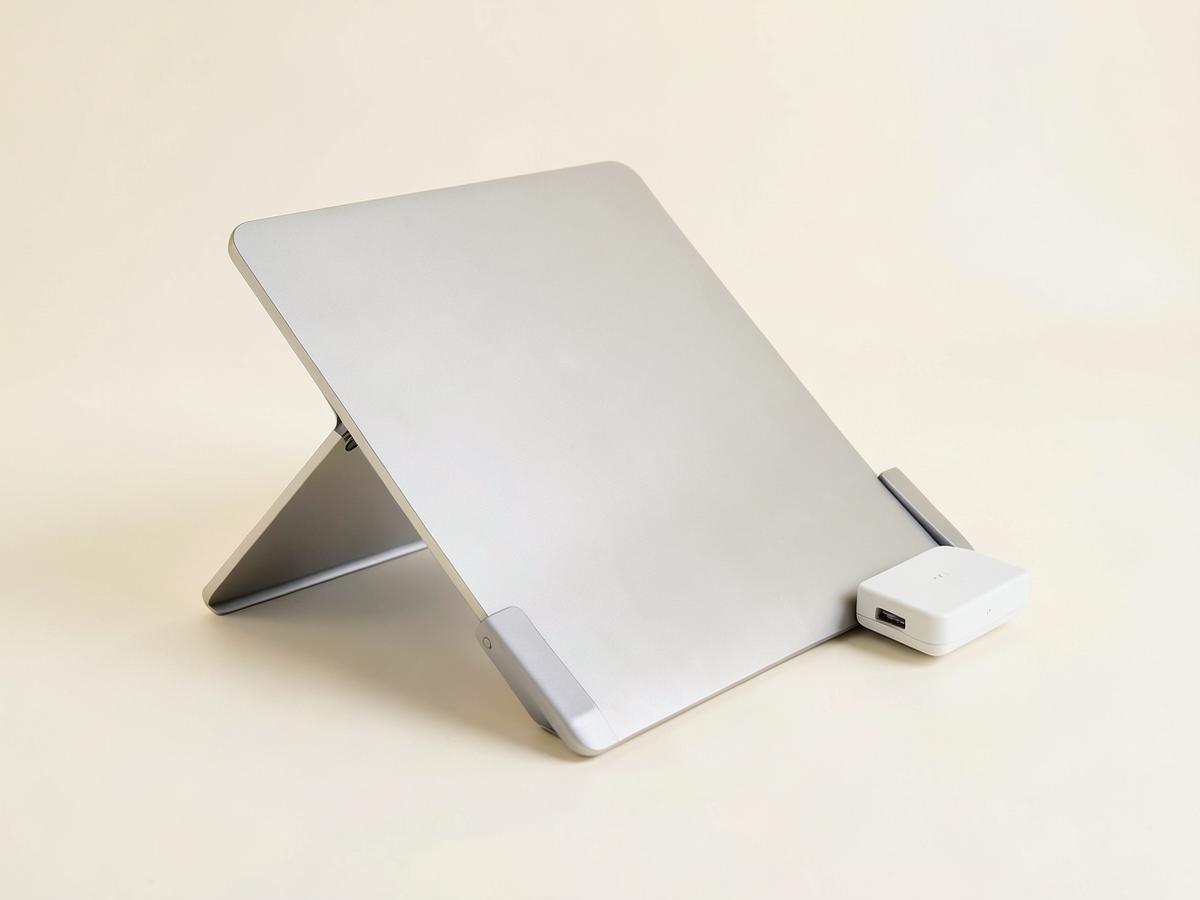
A single piece of curved aluminium with no hinges, which is exactly why it does not wobble — there is nothing in it to loosen. Height is fixed at about six inches, which lands the screen close to eye level for most seated adults, and the open back keeps the laptop cooler than a closed riser. It is heavy, and that is the point.

Material: AluminiumHeight: ~6 in, fixedFits: Up to 17 in laptopsFolds: No

What's good

  • No flex at all
  • Good passive cooling
  • Cable slot at the back

What's not

  • Fixed height
  • Too heavy to travel with
Check price on Amazon
02

Best adjustable stand

Nulaxy C1 Laptop Stand

A laptop that moves between a desk, a kitchen table and a bag.

Nulaxy C1 Laptop Stand — Best Laptop Stands and Docks for a Two-Screen Setup
Illustration — category example

Adjustable height and angle, folds flat, and steadier at full extension than the price suggests. The adjustment is the reason to pick it over the mStand: if you share a desk or alternate sitting and standing, a fixed stand is right for exactly one of those positions. Silicone pads keep the laptop from sliding.

Material: Aluminium alloyHeight: AdjustableFits: 10 to 17 in laptopsFolds: Yes

What's good

  • Height and angle adjustable
  • Folds flat
  • Inexpensive

What's not

  • Slight flex at maximum height
  • Less cooling than an open frame
Check price on Amazon
03

Best dock

Anker 575 USB-C Docking Station

A two-screen desk that has to connect and disconnect every day.

Anker 575 USB-C Docking Station — Best Laptop Stands and Docks for a Two-Screen Setup
Illustration — category example

Drives two external displays, delivers enough power to charge a work laptop, and adds wired network plus enough USB ports for a headset, keyboard and mouse — all over one cable to the laptop. That single cable is the whole reason to own a dock. Runs warm under load, which is normal, and needs its own power brick.

Displays: Up to 2 externalPower to laptop: Up to 85WNetwork: Gigabit ethernetConnection: Single USB-C

What's good

  • Two external displays
  • Charges the laptop
  • Wired ethernet

What's not

  • Needs a power brick
  • Runs warm
Check price on Amazon
04

Best for older work laptops

Plugable UD-3900PDZ USB 3.0 Docking Station

A work laptop with no USB-C display output — still very common.

Plugable UD-3900PDZ USB 3.0 Docking Station — Best Laptop Stands and Docks for a Two-Screen Setup
Illustration — category example

Plenty of employer-issued machines cannot drive two screens over USB-C, and this dock works around that using a USB 3.0 connection and display drivers. Not as elegant as a native USB-C dock and it needs software installed, which some locked-down machines will not allow — check with your IT team before buying.

Displays: Up to 2 externalConnection: USB 3.0 or USB-CNetwork: Gigabit ethernetDrivers: Required

What's good

  • Works with older laptops
  • Two displays
  • Plenty of ports

What's not

  • Requires driver installation
  • May be blocked by employer IT
Check price on Amazon

Before you buy

Set the height with a simple test: sitting up straight, looking directly ahead, your eyes should land at the top third of the screen. If you are tipping your chin down to read, the stand is too low, and a couple of thick books under it costs nothing while you decide.

One warning about docks and employer laptops. Some organisations block docking-station drivers or restrict what can be plugged in. Ask before spending, because a dock that IT will not allow is a return, not a workaround.

Keep reading

As an Amazon Associate we earn from qualifying purchases. Product availability and prices on Amazon change frequently and anything shown here may be out of date by the time you click. How we pick our recommendations.