Jobs to Inbox

Best Webcams and Lighting for Remote Interviews

What actually makes you look credible on a video interview, and the small number of things worth buying for it.

5 products comparedReviewed September 6, 2026Independent · no sponsored placements

Jobs to Inbox is a participant in the Amazon Services LLC Associates Program. When you buy through links on this page we may earn a commission, at no extra cost to you. We choose every product ourselves and we are never paid to include one. How we pick.

Best Webcams and Lighting for Remote Interviews
The short answer

Buy the light before the camera. The Elgato Key Light Mini fixes the actual problem for most people. If you want a camera too, the Logitech Brio 500 is the sensible one, and the Anker PowerConf C200 is the budget answer.

Buy this first

Elgato Key Light Mini

Check price

A remote interview is often the only look a hiring manager gets at you, and the thing that undermines candidates is almost never the camera. It is the light. A $200 webcam pointed at someone backlit by a window produces a dark grey silhouette; a five-year-old laptop camera with a lamp in front of it looks fine. Fix the light first, then decide whether you need a camera at all.

The second thing is angle. Laptop cameras sit below chin level and shoot upward, which is unflattering on everyone and reads as unprepared. Raising the laptop on a stack of books so the lens is at eye level costs nothing and does more for how you come across than any purchase on this page.

With those two handled, an external webcam is a real but smaller upgrade — better low light, a sharper image, and a wider choice of where to put it. Below is what we would buy, in the order we would buy it.

Side by side

PickTypeColour tempPowerMount
Buy this firstElgato Key Light MiniLED panel2900–7000KUSB-C or batteryBall head / clampCheck price
Best webcam overallLogitech Brio 5001080p / 30fpsAdjustable 65–90°Physical twistUSB-CCheck price
Best budget webcamAnker PowerConf C2002K / 30fps65 / 78 / 95°Sliding coverUSB-CCheck price
Best mountElgato Multi MountClamp armExtendable sectionsLights, cameras, micsUp to ~2.4 inCheck price
Best all-in-oneLogitech StreamCam1080p / 60fps78°NoneUSB-CCheck price

Prices change daily, so we don't print them. Each button opens the current listing on Amazon.

How we picked

  • Light quality judged on skin tone, not brightness numbers
  • Cameras tested in a normally lit room, not a studio
  • Mounting that works on a monitor without blocking the screen
  • A physical privacy shutter, because a software toggle is not the same thing
  • Nothing that needs a driver install on a locked-down work laptop
01

Buy this first

Elgato Key Light Mini

Anyone whose interview video looks dark, grey or flat.
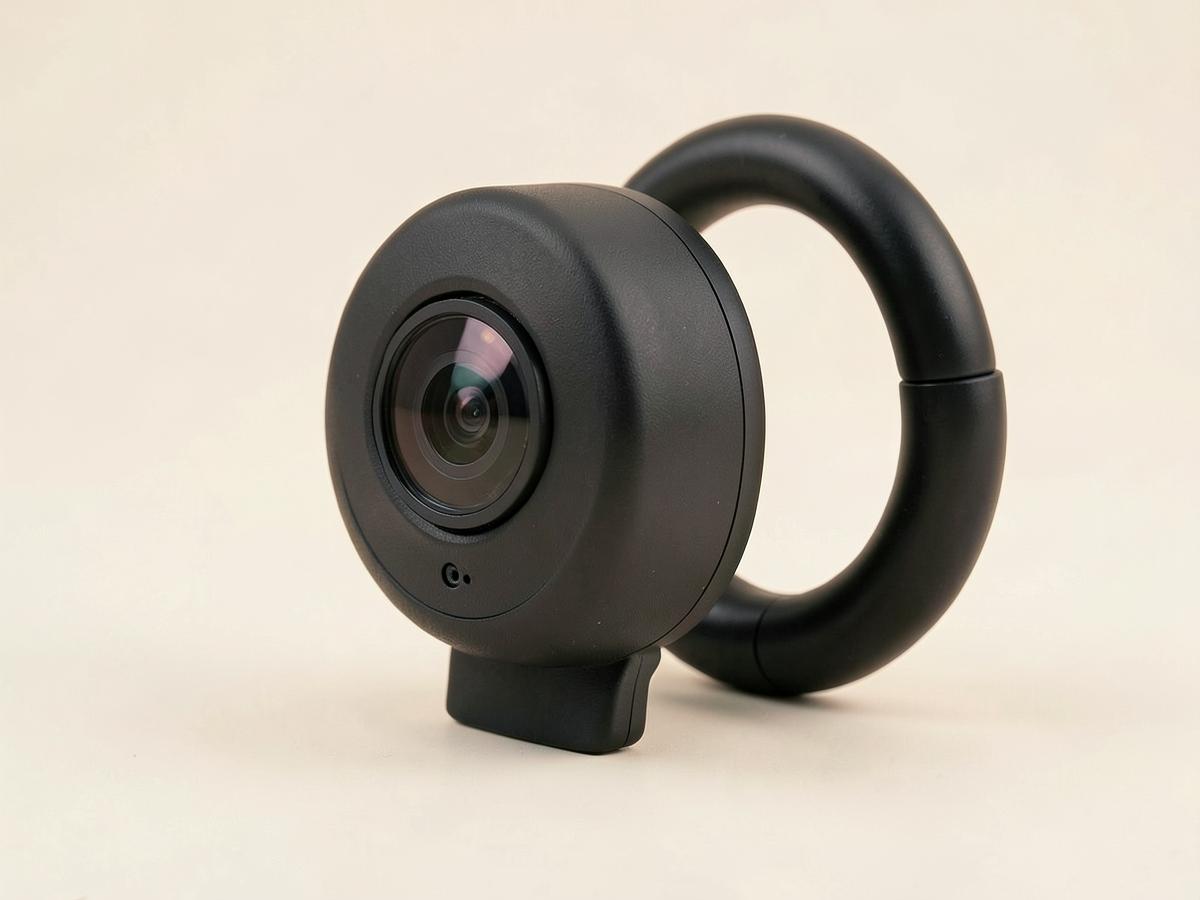
Elgato Key Light Mini — Best Webcams and Lighting for Remote Interviews
Illustration — category example

A small, even panel that sits beside the monitor and lights your face without the harsh hotspot a ring light puts in your glasses. Adjustable warmth matters more than people expect — matching the room's colour temperature is the difference between looking lit and looking filmed. It runs on battery too, which is useful in a room with no free outlet.

Type: LED panelColour temp: 2900–7000KPower: USB-C or batteryMount: Ball head / clamp

What's good

  • Even, soft light
  • Adjustable warmth
  • Battery option

What's not

  • Needs a stand or clamp
  • App setup for full control
Check price on Amazon
02

Best webcam overall

Logitech Brio 500

Regular interviews, client-facing calls, or on-camera team meetings.

Logitech Brio 500 — Best Webcams and Lighting for Remote Interviews
Illustration — category example

1080p with genuinely good low-light handling, which is where cheaper cameras collapse into noise. The mount tilts down properly for desk framing and the privacy shutter is a physical twist of the housing rather than a clip you lose. Works without installing anything, which matters on a locked-down work machine.

Resolution: 1080p / 30fpsField of view: Adjustable 65–90°Shutter: Physical twistConnection: USB-C

What's good

  • Good in dim rooms
  • Physical shutter
  • No driver needed

What's not

  • 1080p, not 4K
  • Mic is only okay
Check price on Amazon
03

Best budget webcam

Anker PowerConf C200

An occasional upgrade over a laptop camera without much spend.

Anker PowerConf C200 — Best Webcams and Lighting for Remote Interviews
Illustration — category example

2K sensor at a low price with a real privacy cover and adjustable field of view, so you can crop out the room behind you. It needs more light than the Brio to look good, which is another argument for buying the panel first. For an interview or two a month it is plenty.

Resolution: 2K / 30fpsField of view: 65 / 78 / 95°Shutter: Sliding coverConnection: USB-C

What's good

  • Cheap
  • 2K sensor
  • Privacy cover
  • Adjustable framing

What's not

  • Needs good light
  • Plastic mount
Check price on Amazon
04

Best mount

Elgato Multi Mount

Anyone whose camera or light has nowhere sensible to sit.

Elgato Multi Mount — Best Webcams and Lighting for Remote Interviews
Illustration — category example

The unglamorous purchase that makes the others work. Clamping the light to the desk edge and positioning it above eye level, off to one side, is what produces natural-looking video — a light sitting flat on the desk lights you from below like a campfire story. Also frees the monitor top for the camera.

Type: Clamp armReach: Extendable sectionsFits: Lights, cameras, micsDesk edge: Up to ~2.4 in

What's good

  • Positions light above eye level
  • Clears desk space
  • Solid clamp

What's not

  • Takes a desk edge
  • Fiddly to adjust
Check price on Amazon
05

Best all-in-one

Logitech StreamCam

People who record video as well as sitting on calls.

Logitech StreamCam — Best Webcams and Lighting for Remote Interviews
Illustration — category example

1080p at 60fps with a mount that rotates to vertical, which is the pick if you are also recording anything for social. Overkill for interviews alone, and it needs software for the best results, but the image is a clear step above the budget cameras in a well-lit room.

Resolution: 1080p / 60fpsField of view: 78°Shutter: NoneConnection: USB-C

What's good

  • 60fps
  • Rotates to vertical
  • Sharp in good light

What's not

  • Software needed for full control
  • No privacy shutter
Check price on Amazon

Before you buy

Do a dry run before the interview, recorded, in the same seat at the same time of day. Watch thirty seconds of it back with the sound off. You will see the problems immediately — a lamp behind you, the top of your head cut off, a doorway with movement in it — and none of them require buying anything to fix.

The order of return on money here is light, then camera position, then camera. Most people do it backwards, buy a webcam, and look exactly the same as before because the room is still dark. A cheap panel and a stack of books beats an expensive camera in a bad room every time.

Keep reading

As an Amazon Associate we earn from qualifying purchases. Product availability and prices on Amazon change frequently and anything shown here may be out of date by the time you click. How we pick our recommendations.