
Jobs to Inbox is a participant in the Amazon Services LLC Associates Program. When you buy through links on this page we may earn a commission, at no extra cost to you. We choose every product ourselves and we are never paid to include one. How we pick.
Work From Home Essentials and Desk Gear
15 Small Home Office Ideas for Apartments and Bedroom Corners
Unlock your apartment's potential with these 15 small home office ideas for even the tiniest bedroom corners and living room nooks.
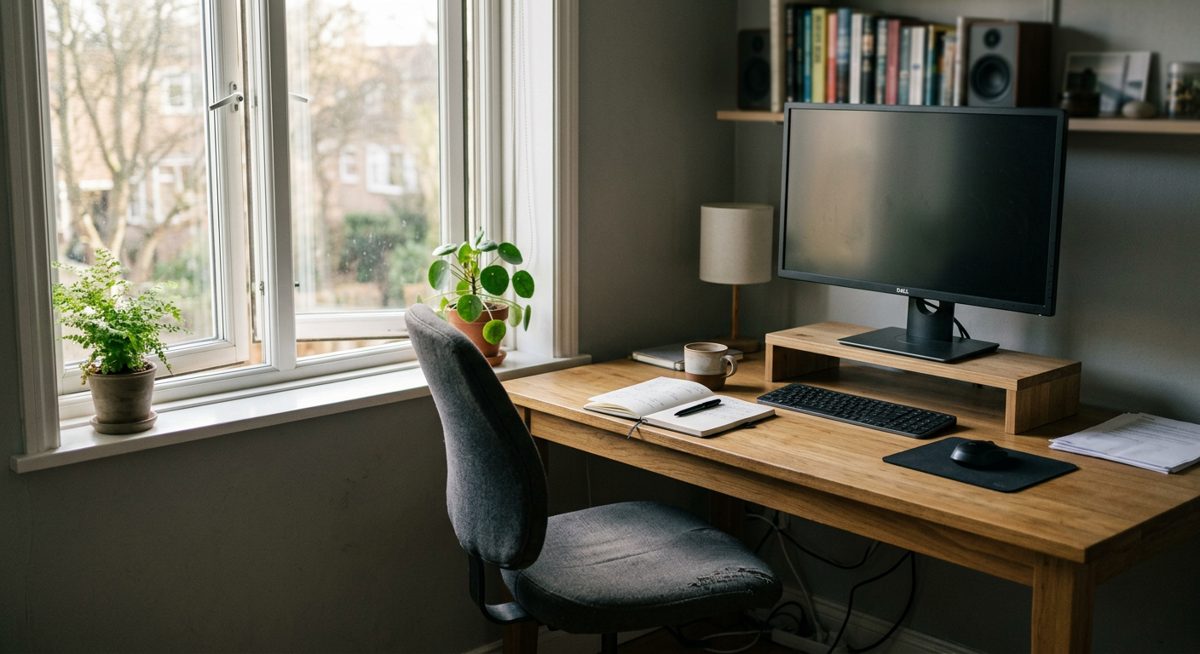
The quick answer
- Use vertical space with wall desks and floating shelves.
- Define your work zone with a rug, divider, and good lighting.
- Hide clutter with under-desk storage and cord control.
Trying to create a functional workspace inside a small apartment can feel like an impossible puzzle. You need a dedicated spot to be productive, but every square inch is already spoken for. We have gathered 15 small home office ideas designed specifically for tight quarters, helping you carve out a professional nook without sacrificing your living space.
These solutions are for anyone who believes they simply do not have the room for a home office. Whether it is a forgotten corner, a sliver of wall, or even an unused closet, a comfortable and efficient workspace is achievable. By thinking vertically and choosing multi-functional pieces, you can build a remote work setup that feels intentional, organized, and separate from the rest of your home life.
Our tested picks for an 8-hour day
Smallest real footprint
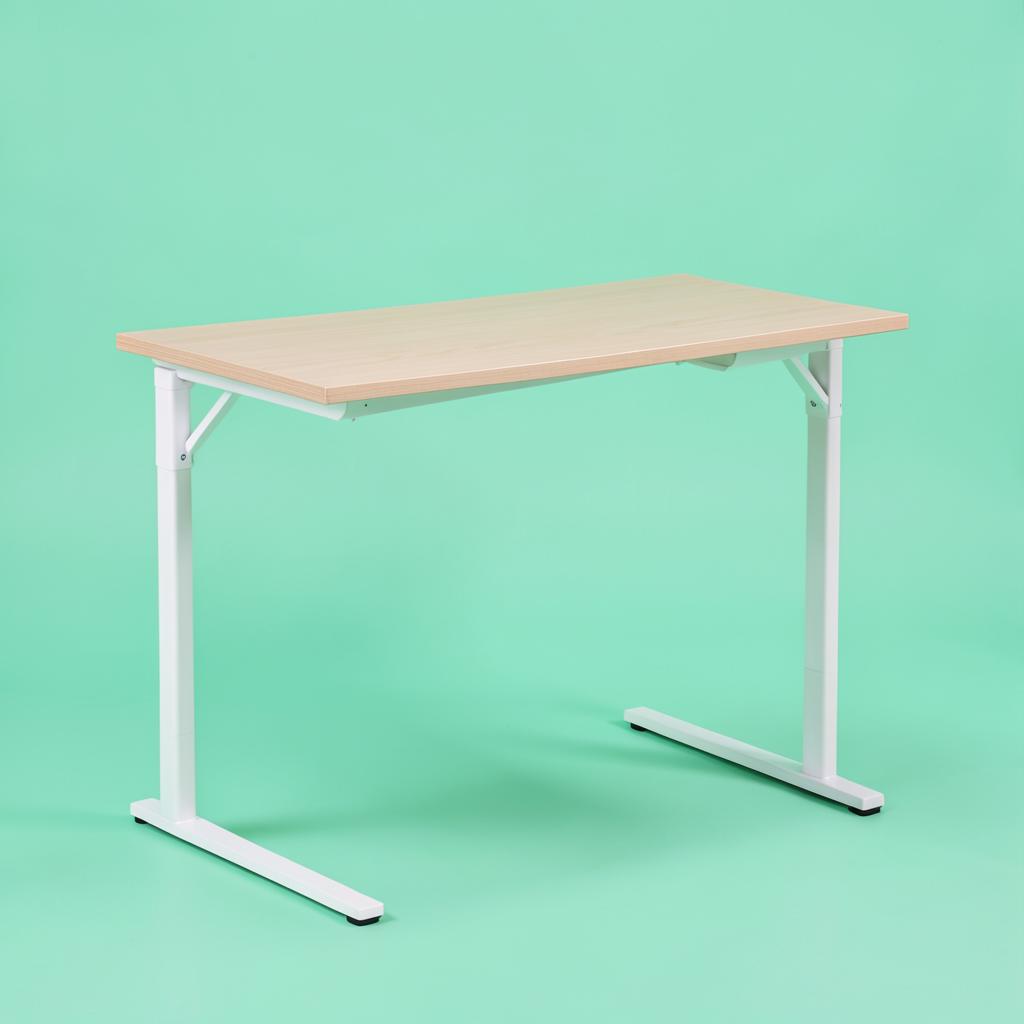
Prepac Floating Desk
Hallways and rooms where nothing can touch the floor.
Mounted into studs, this gives you a working surface with no legs to walk into and a clear floor underneath, which visually gives a small room back to you. There is a drop-down section that hides pens, cables and a notebook, so the wall looks tidy when you stop for the day. The trade-offs are real: you are drilling into a wall, the height is fixed at whatever you mount it at, and the weight limit suits a laptop, a light monitor and a lamp rather than two big screens.
Step 4 pick: best overall lift
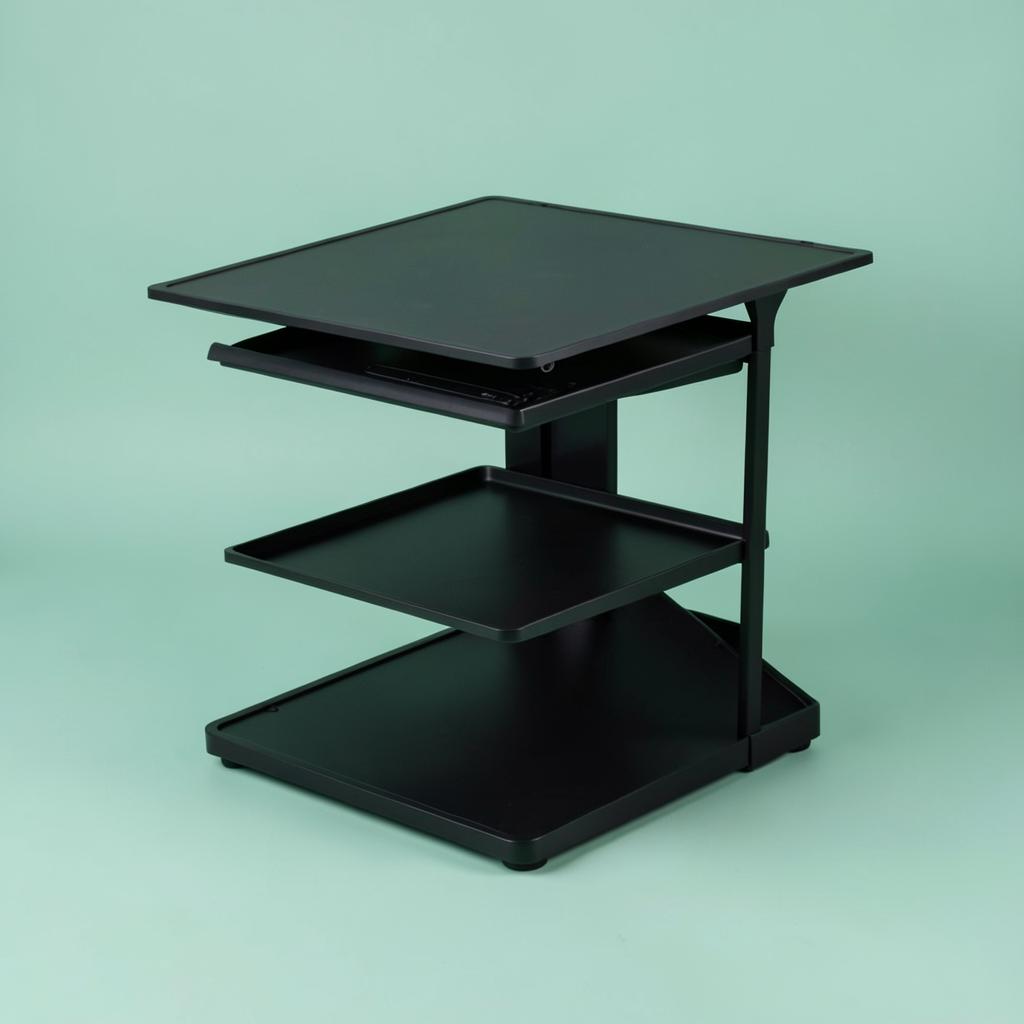
Mount-It! 32-inch Standing Desk Converter
Most desks, and anyone who will only use this if it is effortless.
A gas-spring lift on a 32-inch top, which is the combination that gets used every day rather than abandoned in the down position after a fortnight. One hand on the side handle takes it from sitting to standing in about two seconds, and it stops anywhere in between rather than at fixed notches. The separate keyboard tray sits below the top surface, which is exactly right — it lets your elbows stay at ninety degrees while the screen goes higher.
The one I use — best overall
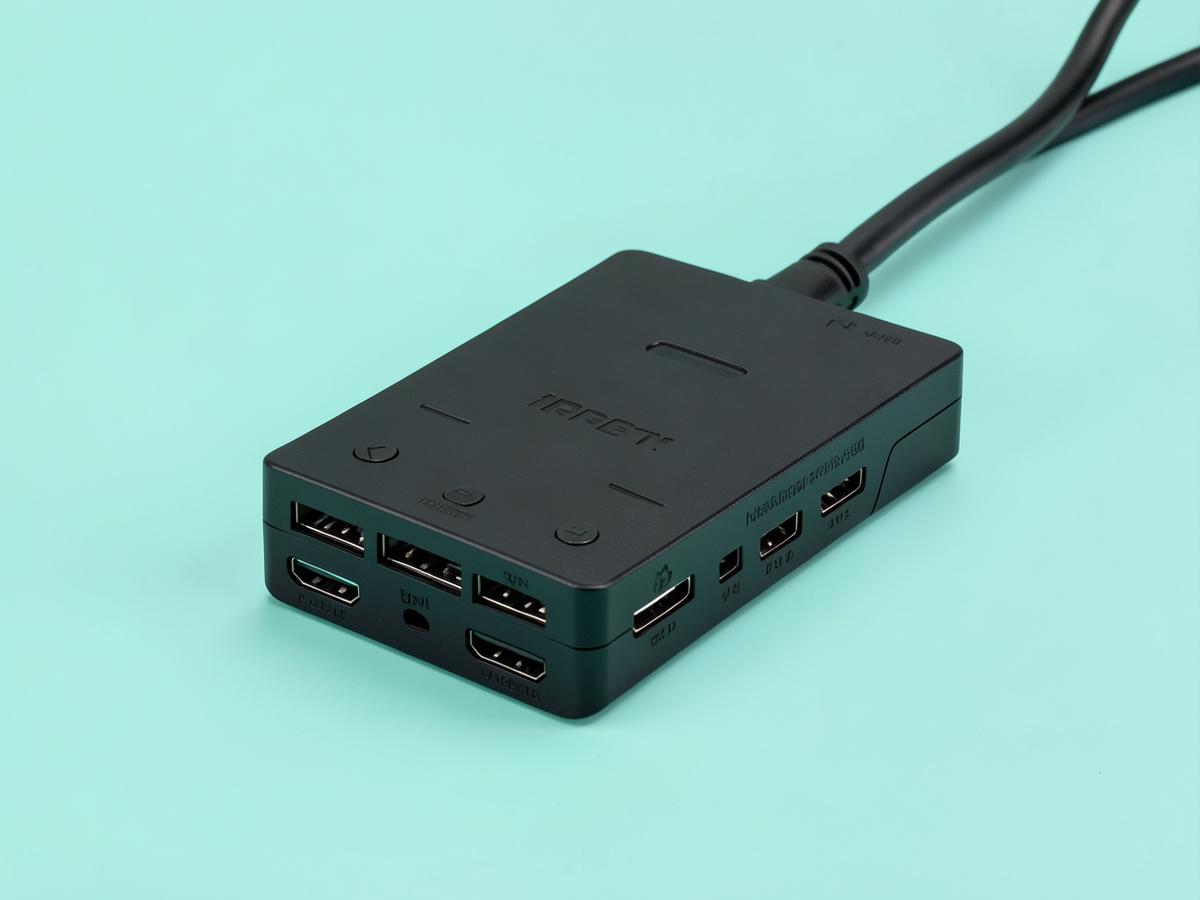
Anker Laptop Docking Station Dual Monitor 8-in-1
Two external screens, one cable, and a morning routine you stop noticing.
Months in, the thing I notice about this dock is that I do not notice it. One USB-C cable goes into the laptop and two monitors, a keyboard, a mouse, a headset and the charger all come alive at once. It handles two screens over the twin HDMI outputs, passes power through to the laptop so there is no separate charger to fumble for, and includes ethernet — which matters more than people expect, because a wired connection during a long call is noticeably steadier than a flat's wireless. It runs warm after a full day, which is normal for the class, and the fixed cable is short enough that the dock has to sit near the laptop rather than tucked away behind the desk. Neither is a real complaint. What matters is that it has never dropped a screen mid-call, which is the failure mode that makes cheap docks worthless. If you work from a laptop with two monitors in front of you, this is the purchase that removes a small irritation from every single working day, and it costs less than a decent office chair cushion arrangement.
Setting Up Your Space: Small Home Office Ideas for Your Foundation
The core of any office, no matter the size, is the surface you work on and the seat you use. In a small apartment, these choices are even more critical. They need to be space-efficient, functional, and blend with your existing decor. Forget the bulky executive desks of traditional offices; here, we focus on clever designs that maximize utility in a minimal footprint.
1. Wall-Mounted Desk
A wall-mounted desk is perhaps the ultimate space-saver because it occupies zero floor space. These desks attach directly to the wall, creating a sturdy surface that appears to float. This design frees up the area underneath for your legs, a small filing cabinet, or simply open space, which makes a small room feel larger and less cluttered. You can find them in two main styles: fixed and fold-down.
A fixed wall-mounted desk is a simple shelf-like surface, providing a permanent, minimalist workspace. It is ideal if you have a dedicated wall segment you can commit to your office. A fold-down or "murphy" desk is even more ingenious for multi-use spaces. When you are working, it folds down to become a sturdy desk. When you are done for the day, you can fold it back up against the wall where it becomes a shallow cabinet, a picture frame, or a chalkboard, effectively making your office disappear. This is perfect for a bedroom or living room where you want to reclaim the space for relaxation in the evenings.
When choosing a wall-mounted desk, consider the material and depth. A depth of 15 to 20 inches is usually sufficient for a laptop, a notebook, and a mouse, without protruding too far into the room. Also, ensure it is installed securely into wall studs to support the weight of your equipment.
2. Corner Desk
Corners are often the most underutilized areas in any room. A corner desk is specifically designed to slot into this awkward space, turning a neglected spot into the command center of your workday. Instead of placing a rectangular desk against a wall, which can jut out and disrupt traffic flow, a corner unit tucks away neatly, making use of two walls at once.
These desks come in various forms. Some are L-shaped, offering an expansive surface area that wraps around you, giving you separate zones for your computer and for writing or reviewing documents. This can feel surprisingly spacious, even in a small footprint. Others are triangular or quarter-circle shaped, designed to fit snugly into the 90-degree angle of a corner with a more compact surface. This style is excellent for a simple laptop setup.
The primary benefit of a corner desk is its efficiency. It provides a generous amount of workspace relative to the floor area it occupies. Many models also come with built-in shelving or drawers above or below the desktop, taking advantage of vertical space that would otherwise go unused. By centralizing your work life into one corner, you create a natural boundary between your job and your living area, which helps with work-life separation.
3. Closet Nook Office
If you have a closet to spare, you might have the perfect hidden office. Converting a closet into a "cloffice" is a brilliant way to create a workspace that can be completely hidden from view. When the workday is over, you simply close the doors, and your office vanishes, leaving your room tidy and tranquil. This is one of the best small home office ideas for maintaining a strong mental separation between work and rest, especially in a studio apartment or bedroom.
The process involves removing the closet rod and any low shelves. You can then install a countertop at desk height, either by mounting a sturdy piece of wood or laminate directly to the wall studs or by sliding in a narrow desk that fits the closet's dimensions. Above the desk surface, install floating shelves to hold your monitor, books, and supplies. This vertical setup is key to making a narrow space functional.
Make sure to address lighting and power. Since a closet has no natural light, you will need to add some form of task lighting, like an under-shelf LED strip or a small desk lamp. You may also need to run an extension cord neatly along the baseboard to power your devices. With a comfortable chair that can be pushed into the closet or stored nearby, you have a fully functional office that disappears on command.
4. Foldaway Chair
A bulky office chair can be the biggest obstacle to creating a small home office in a multi-use room. Even if your desk folds away, a large, ergonomic chair can still dominate the space. A foldaway chair solves this problem by providing a comfortable place to sit during work hours that can be flattened and stored when not in use.
Modern folding chairs are a world away from the uncomfortable metal ones you might remember. You can find stylish and surprisingly ergonomic options designed for this exact purpose. Look for chairs with a padded seat and a supportive backrest. Some even have minimalist armrests. They come in various materials, from wood and fabric to sleek acrylics, so you can find one that complements your apartment's style.
When your workday is done, the chair can be folded flat and slid under a bed, tucked beside a bookshelf, or stored inside the very closet you use as your office. This instant storage capability is what makes it so valuable. It allows your living room to return to being a living room, or your bedroom to become a peaceful sanctuary, free from the visual reminder of your work obligations. It is a small change that makes a big difference in reclaiming your personal space.
Maximizing Vertical and Hidden Storage
Once your desk and chair are sorted, the next challenge is taming the inevitable clutter of work life: papers, pens, notebooks, and electronics. In a tiny workspace, horizontal surfaces are prime real estate that cannot be wasted. The solution is to go vertical and get creative with hidden storage, keeping your desk clear and your mind focused.
5. Floating Shelves
Floating shelves are a small-space miracle. They mount directly to the wall with hidden hardware, creating a clean, minimalist look that provides essential storage without the bulk of a traditional bookcase. By drawing the eye upward, they can also make a room feel taller and more open. In a compact office nook, they are the perfect way to get items off your desk.
Install a series of floating shelves on the wall above your desk. Use them to hold books, decorative storage boxes for supplies, a small plant, and other items you need within reach but not directly in your workspace. A deeper shelf can even serve as a perch for your monitor, lifting it to an ergonomic height while freeing up the desk surface below.
When planning your shelf layout, think about both function and aesthetics. Varying the spacing and length of the shelves can create a more dynamic and visually interesting display. Choose materials and colors that coordinate with your desk and the rest of the room to create a cohesive look. Whether you opt for rustic wood, clean white lacquer, or industrial metal, floating shelves turn necessary storage into a stylish design feature.
6. Vertical Storage Solutions
Beyond shelves, there are many other ways to leverage the vertical space around your desk. A pegboard is a highly versatile and customizable option. You can attach a large pegboard to the wall behind your desk and use a variety of hooks, baskets, and small shelves to organize everything from pens and scissors to cables and headphones. The system is modular, so you can rearrange it as your needs change.
Wall-mounted file holders or magazine racks are another excellent choice. These can be used to sort incoming mail, active project files, or notebooks, keeping paper clutter off your work surface. Look for slim-profile organizers made of metal mesh, clear acrylic, or fabric. They add function without adding visual weight to the space.
Do not forget about the small space on your desk itself. A desktop shelf or monitor riser with built-in drawers adds a second tier of organization. It elevates your screen to a more comfortable viewing height while providing a home for small items like sticky notes, paper clips, and your phone. Every item that has a designated home is one less item cluttering your valuable desk space.
7. Under-Desk Storage
The space beneath your desk is often overlooked, but it holds significant storage potential. A slim, wheeled filing cabinet is a classic choice. You can find models with two or three drawers that are short enough to slide completely under most desks. Use it to store files, extra paper, and supplies you do not need every minute of the day. The wheels make it easy to pull out when you need access and push back when you are done.
If a filing cabinet is too bulky, consider fabric storage bins or woven baskets. These are perfect for holding bulkier items like extra cables, power bricks, or even a small printer. They are lightweight and add a soft, textural element to your workspace, making it feel less sterile and more integrated with your home decor.
Another clever option is an under-desk drawer that mounts to the underside of your desktop. These shallow, slide-out trays are perfect for stashing pens, notebooks, and other small items, keeping them completely out of sight but always within easy reach. It is like adding a hidden pencil drawer to a minimalist desk that does not have one. By utilizing this hidden real estate, you can maintain a clean and uncluttered desktop, which is crucial for focus and productivity in a small area.
Ergonomics and Comfort in a Small Footprint
Working from home should not be a pain in the neck, literally. Even in the smallest of spaces, ergonomics are non-negotiable for your long-term health and daily comfort. Cramped setups often lead to poor posture, which can cause back, neck, and shoulder pain. Luckily, there are compact and clever tools that can help you create an ergonomic workstation without needing a sprawling setup.
8. Laptop Stand
If you work primarily from a laptop, a laptop stand is one of the most important ergonomic investments you can make. Laptops are designed for portability, not for prolonged use. When you work on a laptop placed directly on a desk, you are forced to hunch over to see the screen, which strains your neck and spine.
A laptop stand elevates your screen to eye level, mimicking the position of a proper desktop monitor. This allows you to sit up straight with your head in a neutral position, dramatically improving your posture and reducing the risk of strain. You will need an external keyboard and mouse to use with the stand, as typing on an angled laptop keyboard is not comfortable or ergonomic. This small setup, however, transforms your work posture.
Laptop stands come in many styles. Some are fixed, angled frames made of metal or bamboo. Others are highly adjustable, allowing you to fine-tune the height and angle for a perfect fit. There are even portable, foldable models that are great for people who occasionally move their workspace. By separating the screen from the keyboard, you are taking the single most important step toward making your compact setup comfortable and sustainable for full workdays.
9. Standing Desk Converter
The health benefits of alternating between sitting and standing throughout the workday are well-documented. However, a full-sized, height-adjustable standing desk is often too large and expensive for a small apartment. A standing desk converter offers the perfect compromise. It is a device that sits on top of your existing desk and allows you to raise and lower your monitor and keyboard as a single unit.
These converters come in a wide range of designs and sizes. Some are spring-loaded or gas-assisted, making it effortless to lift the platform with your equipment on it. They typically have two tiers: a top surface for your monitor or laptop and a lower tray for your keyboard and mouse. This ensures proper ergonomic alignment in both the sitting and standing positions.
When you want to stand, you simply lift the converter. When you are ready to sit, you lower it back down to your desk's surface. This gives you all the flexibility of a full standing desk without replacing your furniture. It is an ideal solution for renters or anyone who wants to upgrade their existing setup for better health and energy levels. Many converters are designed with a small footprint, ensuring they can fit on even a narrow desk in a bedroom corner.
Defining Your Zone and Managing Clutter
One of the biggest psychological challenges of working from home in a small space is the lack of separation. When your office is in your living room or bedroom, it is easy for work to bleed into your personal time, and for home life to distract you during the day. Creating clear visual and physical boundaries, and aggressively managing clutter, is essential for both focus and peace of mind.
10. Room Divider
A room divider is a powerful tool for creating a sense of separation. Even a simple, lightweight screen can create a visual barrier that signals a transition from "home space" to "work space." When you are behind the screen, you are at the office. This simple psychological trick can help you focus during the day and, just as importantly, disconnect when you close your laptop.
Folding screens are a popular and flexible option. You can find them in countless styles, from traditional shoji screens to modern upholstered panels or rustic wooden frames. They can be easily positioned to hide your desk from the rest of the room and folded away or repositioned when you have guests.
Another option is to use a large, open-backed bookshelf as a divider. This defines the space while also providing a massive amount of vertical storage for books, binders, and decorative items. By allowing light to pass through, an open bookshelf divides the space without making it feel dark or closed off. It is a functional and stylish way to create a room within a room.
11. Area Rug
Defining your workspace does not always require a physical barrier. A small area rug placed under your desk and chair can effectively delineate your office zone. This is a subtle but surprisingly effective visual cue. The boundary of the rug becomes the boundary of your office, creating a distinct "island" of productivity within a larger, multi-purpose room.
This technique is part of a design concept called zoning. By using different flooring or floor coverings, you can signal a change in function without building any walls. Choose a rug that is large enough to comfortably accommodate your desk and chair, allowing the chair to move without rolling off the edge.
The style of the rug can also contribute to the feel of your workspace. A low-pile rug is best for an office chair with wheels, ensuring smooth movement. You can choose a color or pattern that complements the room's decor but is distinct enough to set the area apart. This simple addition can make your makeshift corner feel more like a purposeful, intentional home office.
12. Cord Control Solutions
Nothing makes a small space feel more chaotic and cluttered than a tangled mess of cords. The cables for your laptop, monitor, phone charger, and lamp can quickly become a spaghetti-like nightmare that collects dust and creates visual stress. Taming this cable clutter is a quick win that has a huge impact on how clean and organized your workspace feels.
There are many simple and inexpensive tools for this job. Cable sleeves are fabric or neoprene tubes that bundle all your cords together into one neat package. Adhesive cable clips can be stuck to the back of your desk or along a leg to guide cords cleanly from your device to the power outlet. For the mess of power bricks and surge protectors on the floor, a cable management box can hide the entire jumble inside a sleek container.
For a truly clean look, consider an under-desk cable tray. This is a metal or plastic basket that mounts to the underside of your desk. You can place your surge protector and all your excess cable length inside it, lifting the entire mess completely off the floor. Your workspace will instantly look more professional and serene, and you will never accidentally kick your power strip again.
13. Headset Hook
Your headset is an essential tool for remote work, necessary for video calls and focused work. But when you are not using it, it can be a bulky and awkward item to store on a small desk. Leaving it on the desk surface takes up valuable space and adds to the clutter.
A simple headset hook or stand is the solution. The most space-efficient option is a small hook that mounts to the side of your desk or on the edge of your monitor. This gives your headset a dedicated, out-of-the-way home. When you need it, it is right there. When you are done, you hang it up, and it disappears from your immediate workspace.
This is a tiny detail, but it is part of a larger strategy of "a place for everything, and everything in its place." By assigning a specific storage spot for every item in your office nook, you make it effortless to tidy up at the end of the day. A clean desk helps create a clear mind, and this simple hook is one more step toward achieving that.
Creating a Professional Presence
Your physical workspace is only one part of the equation. As a remote worker, your professional presence is also defined by how you appear to others on video calls. A well-lit image and a non-distracting background project competence and seriousness. Even in a tiny corner of your apartment, you can and should control these elements. At the same time, you need to be savvy about the opportunities you pursue, ensuring they are as professional as the image you project.
14. Intentional Lighting
Poor lighting is the most common video call mistake. Being backlit by a window can turn you into a silhouette, while harsh overhead lighting can cast unflattering shadows. Good lighting makes you look more professional and engaged. The goal is to have a soft, even light source in front of you, illuminating your face.
The best source is natural light, so if possible, position your desk to face a window. If that is not an option, you need to create your own light. A ring light is a popular tool for this. It is a circular light that you can place behind your laptop or webcam, and it casts a diffuse, flattering light on your face, eliminating shadows. Many are small, desktop-sized, and USB-powered.
If you find a ring light too intense, a small, adjustable desk lamp with a shade can also work well. Position it slightly to one side of your monitor and aim it so the light reflects off a neutral wall in front of you. This creates a softer, bounced light that is less direct. Experiment with positioning to see what looks best.
15. Professional Video Call Background
Your background says a lot about you in a professional context. A cluttered room, an unmade bed, or people walking by can be distracting and unprofessional. In a small apartment, controlling your background can be a challenge, but it is crucial.
The simplest solution is to position your desk so a neutral, blank wall is behind you. You can make it more interesting by hanging a single piece of art or placing a healthy plant on a shelf behind you. Keep it simple and clean. The focus should be on you, not what is behind you.
If you cannot find a clean background, a room divider or screen, as mentioned earlier, is a perfect solution. It creates an instant, neutral backdrop for all your calls. As a last resort, many video conferencing applications offer a background blur feature or virtual backgrounds. While blurring can be effective, virtual backgrounds can sometimes look glitchy. A real, tidy, physical background is always the most professional option.
A Note on Spotting Fake Job Offers
As you set up your professional home office to apply for and work in remote jobs, it is vital to apply that same professionalism to vetting your opportunities. The rise in remote work has also led to a rise in sophisticated job scams. Scammers prey on eager job seekers by creating fake job postings to steal personal information or money.
Be wary of several red flags. A legitimate employer will never ask you to pay for training, background checks, or equipment. They will not ask for your bank account details or social security number before a formal offer and official hiring paperwork are completed. Be suspicious of offers that come after a very brief, text-only interview process, or no interview at all. A real company will want to speak with you, usually over a video or phone call. Finally, check the email address of the person contacting you. Scammers often use generic public email domains or create addresses that are just slightly different from a real company's domain. Trust your instincts; if an offer feels too good to be true, it often is.
What to Do Today
You do not need to implement all 15 of these ideas at once. Start small to build momentum.
First, identify the best possible location for your workspace. Look for an unused corner, a clear section of wall, or a closet you can empty. Measure the space so you know exactly what dimensions you are working with.
Second, address your biggest pain point. If your neck hurts, prioritize a laptop stand. If clutter is your main problem, order some cord clips and a set of floating shelves. Solving the most immediate issue will provide the quickest relief and motivate you to continue improving your setup.
Finally, take 15 minutes to declutter your chosen area. Clear away anything that is not essential for your work. A clean slate is the best foundation for building a functional and calming small home office, turning a source of frustration into a space that supports your professional goals.
Pay figures are typical ranges, not guarantees. See today's live jobs.