
Jobs to Inbox is a participant in the Amazon Services LLC Associates Program. When you buy through links on this page we may earn a commission, at no extra cost to you. We choose every product ourselves and we are never paid to include one. How we pick.
Work From Home Essentials and Desk Gear
20 Work From Home Essentials Remote Workers Actually Use Every Day
Here are the 20 work from home essentials that successful remote workers depend on for a productive and comfortable career.
The quick answer
- Ergonomics are non-negotiable: a supportive chair, desk, and monitor setup are key.
- Tech matters: a good webcam, headset, and light create a professional presence.
- Habits and boundaries, like time-blocking and a door sign, are as vital as gear.
You are looking for the real list of work from home essentials, not a generic shopping list. You know that working from the kitchen table was a temporary fix that has become a source of back pain, and you suspect that a better setup could unlock a new level of focus and professionalism. You are right. This guide details the twenty items and habits that experienced remote workers actually use every single day to stay productive, comfortable, and successful in their careers.
Transitioning to remote work is more than just a change in location; it is a change in how you structure your entire workday. Without the right tools, it is easy to feel disorganized, uncomfortable, and less effective than you were in an office. Investing in your home workspace is an investment in your career, your health, and your ability to draw a clear line between your professional and personal life. These essentials will help you create a space that empowers you to do your best work.
Our tested picks for an 8-hour day
Best budget pick
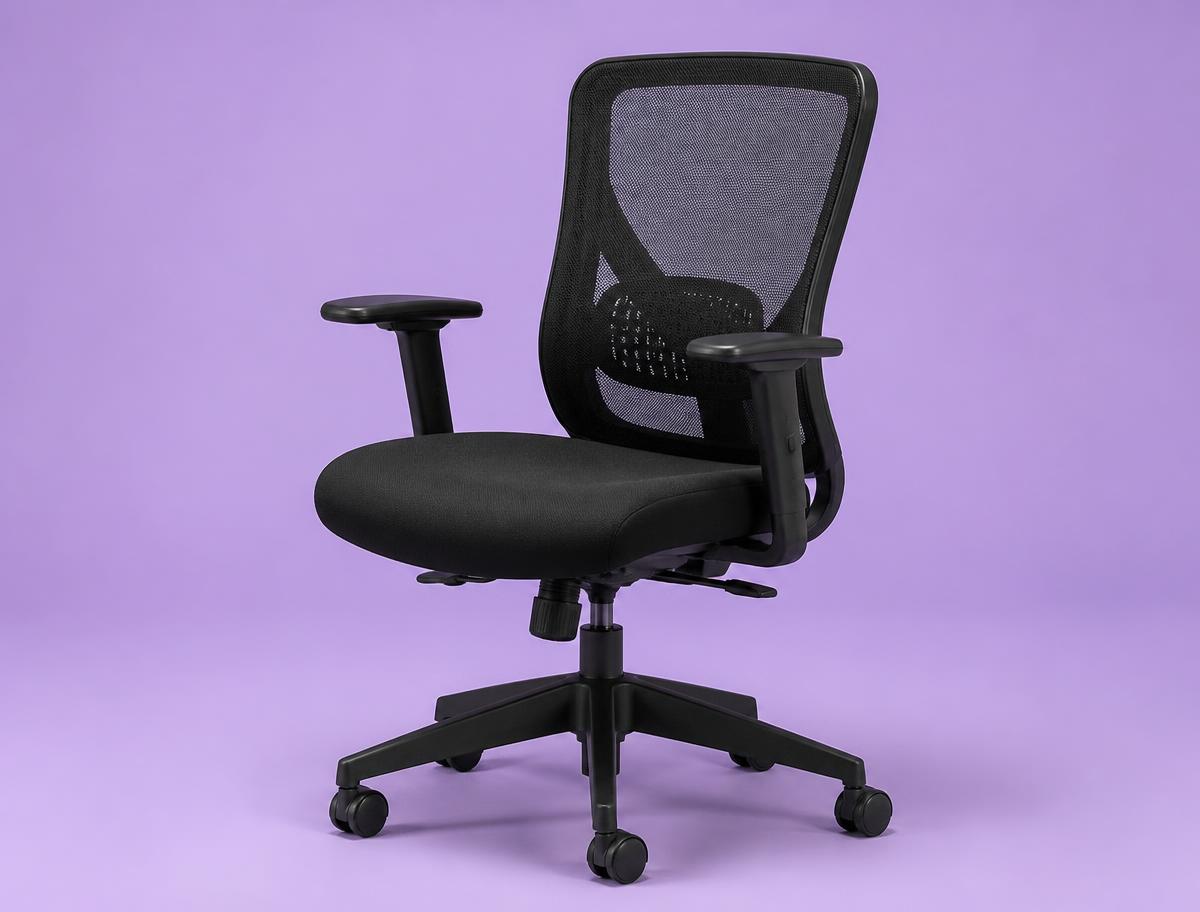
SIHOO M57 Ergonomic Chair
The first real chair after a dining chair or a gaming chair.
This is where the meaningful floor is. The lumbar pad moves up and down and in and out, the armrests adjust in three directions, and the mesh back does not turn into a hotplate by the afternoon. It is rated to 330 pounds, the recline locks in a few positions rather than infinitely, and the seat foam is firmer than most people expect on day one. It breaks in inside two weeks and it holds up.
Best overall
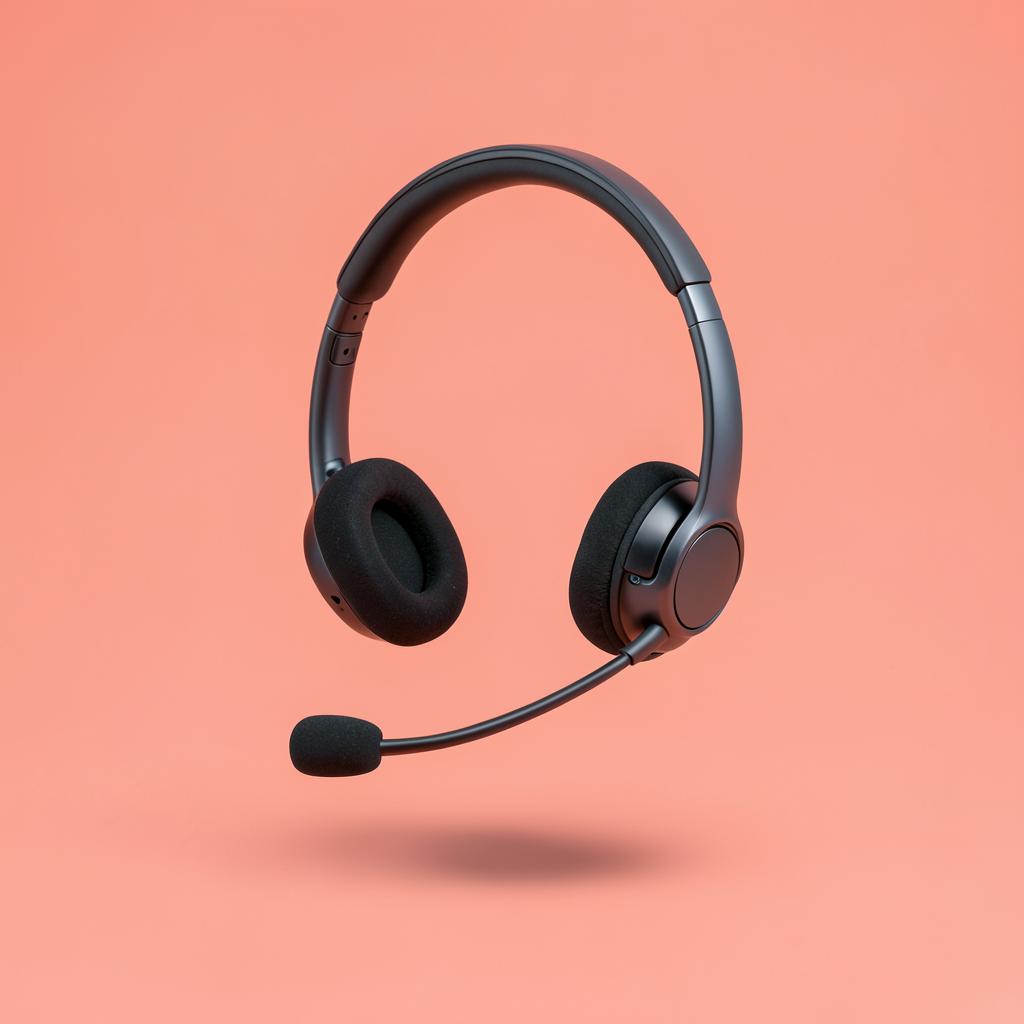
Logitech Zone Vibe 100
Anyone on calls three to six hours a day who wants to stop noticing the headset.
At roughly 185 grams this is the lightest thing here that still has a real boom-free mic array, and that weight is the whole argument. The mic is not the best in this list, but it is clearly good enough for calls, and the trade is a headset you genuinely forget you are wearing by hour four. Cushions are memory foam and replaceable.
Step one: get the lens to eye level
Amazon Basics Adjustable Laptop Stand
Anyone still taking calls on a laptop sitting flat on a desk.
The cheapest part of the build and the one that changes the most. Lifting the laptop until the camera sits level with your eyes removes the up-the-nose angle instantly, straightens your neck, and makes you look like someone who has done this before. A stack of books does the same job for free, but a stand holds the angle steadily, folds flat when the room has to become a bedroom again, and does not slide when you type. Pair it with any cheap external keyboard so your hands still have somewhere sensible to go.
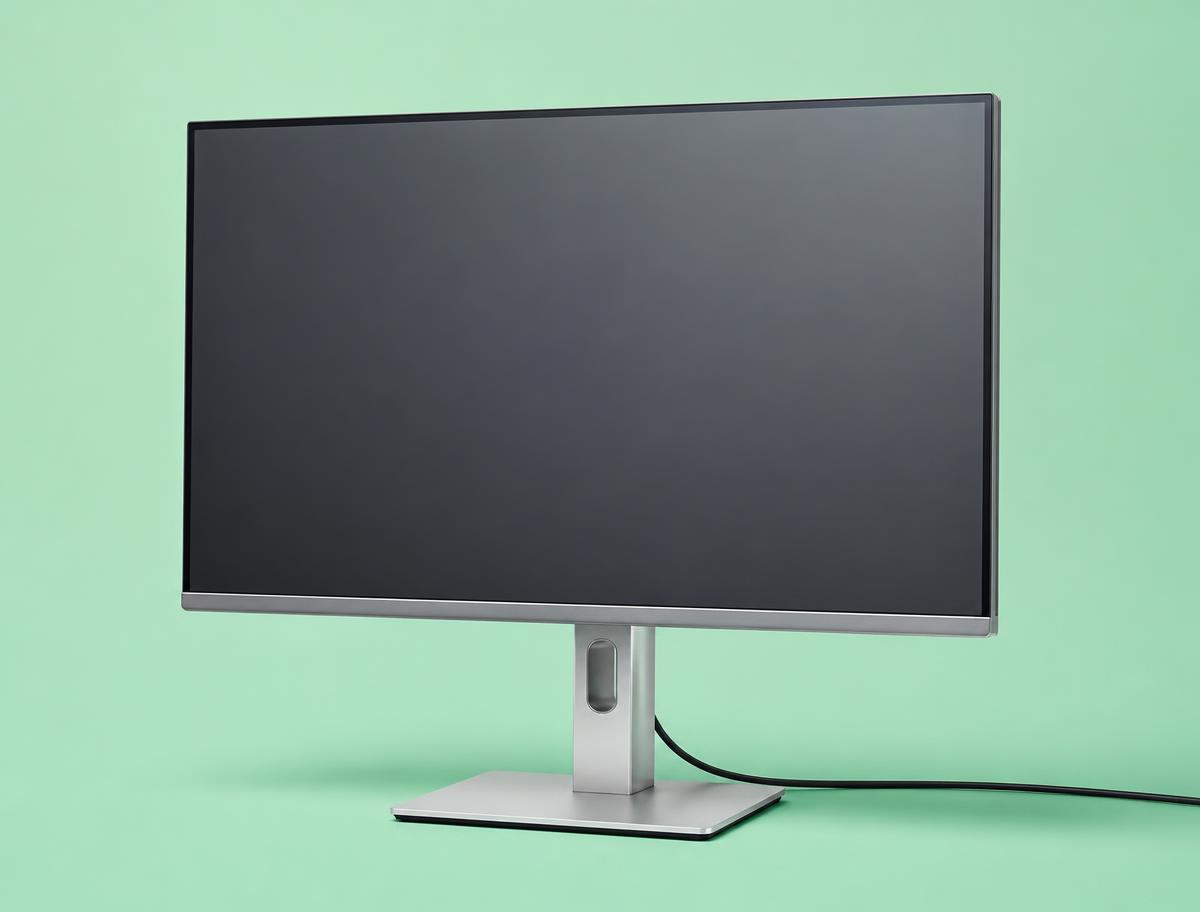
Best overall
Dell S2722DC
One-screen setups where the laptop closes and lives on a stand.
A 27-inch 1440p panel with USB-C power delivery, which means a single cable to the laptop for video, data and charging. At this size 1440p is the sweet spot: two full documents side by side, text crisp at 100% scaling, and no display scaling to fight with on a work laptop. Height adjustment is built in, which quietly saves the cost of an arm.
The Ergonomic Foundation of Your Workspace
Before you think about any technology or software, you must first build a physical foundation that supports your body. Hunching over a laptop on the sofa for eight hours a day is a direct path to chronic pain. The following items are the non-negotiable core of a sustainable remote work setup.
1. An Ergonomic Chair
Your chair is arguably the single most important piece of equipment you will own as a remote worker. A dining chair, a stool, or a folding chair is designed for short-term use, not for a full workday. An ergonomic office chair is engineered to support your body in a healthy posture for extended periods, preventing the neck, shoulder, and lower back pain that plagues so many remote employees.
What makes a chair ergonomic is its adjustability. Look for a chair that allows you to change the seat height so your feet can rest flat on the floor with your knees at a 90-degree angle. It must have adjustable lumbar support that fits the natural curve of your lower spine. Adjustable armrests are also critical, allowing your shoulders to relax while your arms are supported at a height that keeps your wrists straight as you type. Other features to consider are seat depth adjustment, a tilt lock, and breathable materials like mesh to keep you comfortable. It is a significant purchase, but the cost of not having a good chair—measured in pain and lost productivity—is far higher.
2. A Dedicated Desk
Your workspace needs a home base, and that is your desk. Working from the couch, bed, or kitchen table creates two problems. First, it leads to poor posture and physical discomfort. Second, it blurs the lines between work life and home life, making it harder to mentally switch off at the end of the day. A dedicated desk solves both issues by creating a designated zone for professional tasks.
When choosing a desk, consider its size and height. The surface should be large enough to comfortably hold your monitor, laptop, keyboard, and mouse without feeling cramped. You should have space for a notebook and a drink without worrying about knocking things over. Depth is important, too; you need to be able to place your monitor at least an arm's length away to reduce eye strain. Height is another major consideration. A standard fixed-height desk is fine for many, but adjustable-height or standing desks are becoming increasingly popular. They allow you to alternate between sitting and standing throughout the day, which can improve circulation, reduce back pain, and boost energy levels. Whatever you choose, ensure it is sturdy and does not wobble.
3. An Angled Footrest
An ergonomic chair and desk are a great start, but the system is incomplete if your feet are dangling. A footrest is a simple but surprisingly effective tool for completing your ergonomic setup, especially for shorter individuals whose feet might not reach the floor comfortably even with the chair at its lowest setting.
When your feet are properly supported, it improves your posture, increases circulation, and reduces pressure on your lower back. An angled footrest encourages you to sit back fully in your chair, allowing the lumbar support to do its job. It helps maintain the crucial 90-degree angle at your knees, which is a cornerstone of proper sitting posture. Look for a footrest that is wide enough to place your feet comfortably apart and has a non-slip surface. Many models offer adjustable height and tilt angles, allowing you to find the perfect position for your body. It is a small addition that makes a huge difference in your comfort over a long workday.
Essential Tech for Productivity and Health
With your physical foundation in place, the next step is to assemble the technology that enables you to do your work efficiently and healthily. Your laptop is the brain, but these peripherals are the nervous system that connects you to your work in a comfortable and powerful way.
4. An External Monitor
Staring down at a small laptop screen all day is a primary cause of "tech neck," the neck and shoulder pain that comes from hunching forward. An external monitor is one of the most impactful work from home essentials you can get. It allows you to position your screen at the proper ergonomic height—with the top of the screen at or slightly below eye level—so you can sit up straight.
Beyond ergonomics, a larger screen is a massive productivity booster. A typical 24-inch or 27-inch monitor provides significantly more screen real estate than a laptop. This allows you to have multiple windows open side-by-side, such as your email and a document, or a video call and your notes. This reduces the constant need to switch between tabs and windows, saving you time and mental energy. When selecting a monitor, look for one with good resolution for crisp text and images. An adjustable stand that allows you to tweak the height, tilt, and even rotation is also a highly valuable feature.
5. A Laptop Stand
If you are not ready for a full external monitor or want to use your laptop screen alongside a larger monitor, a laptop stand is a must-have. Its sole purpose is to elevate your laptop so that the screen is at eye level. This simple device instantly corrects the posture-destroying habit of hunching over your computer.
Using a laptop stand requires you to also use an external keyboard and mouse, as the laptop's built-in keyboard will be at an awkward, unusable angle. This is a good thing, as it forces you into a more ergonomic setup overall. Laptop stands come in a variety of styles, from fixed-height models to highly adjustable ones that can be configured to the perfect height and angle for your needs. Some are designed to be portable, folding down flat so you can maintain good posture even when working from a different location. It is an inexpensive item that provides immediate and noticeable relief for your neck and shoulders.
6. An External Keyboard
The keyboards built into laptops are a compromise, designed for portability, not for comfort during an eight-hour workday. They are often cramped, and their position forces you to hunch. An external keyboard allows you to position your typing surface independently of your screen, which is critical for good posture. With your monitor at eye level, your keyboard can be placed where your arms can rest comfortably, with your elbows at a 90-degree angle and your wrists straight.
External keyboards come in many forms. Ergonomic keyboards are designed to minimize strain, often featuring a split design or a curved shape to allow for a more natural hand and wrist position. Mechanical keyboards are favored by many for their tactile feedback and durability. Even a basic, full-size standard keyboard is a significant upgrade over a laptop keyboard. It provides better key travel, a more standard layout, and a more satisfying typing experience, which can increase both your speed and accuracy.
7. An Ergonomic Mouse
Like the built-in keyboard, a laptop's trackpad is designed for convenience, not for prolonged use. Clicking and dragging on a trackpad all day can lead to wrist and finger strain. An external mouse offers more precision, speed, and, most importantly, better ergonomics.
An ergonomic mouse is designed to fit the natural resting position of your hand, reducing the strain on the tendons in your wrist and forearm. One popular style is the vertical mouse, which holds your hand in a "handshake" position. This prevents the forearm twisting that a traditional flat mouse requires, which can contribute to repetitive strain injuries over time. Trackball mice are another option, where you control the cursor with your thumb or fingers, keeping your arm and wrist stationary. Finding the right mouse is a personal choice, but switching from a trackpad or a standard flat mouse to an ergonomic model is a proactive step in protecting the long-term health of your wrist and hand.
Your Professional On-Screen Presence
In remote work, how you appear and sound on video calls is your new first impression. A grainy camera and muffled audio can make you seem unprepared or unprofessional. Investing in a few key pieces of technology ensures you always present yourself clearly and confidently.
8. A Quality Headset
A good headset is essential for two reasons: it allows you to hear clearly, and it allows others to hear you clearly. The built-in microphone on your laptop is notorious for picking up every background noise in your room, from a whirring fan to a dog barking down the street. A quality headset, particularly one with a noise-canceling microphone, isolates your voice so that your colleagues hear you, not your environment.
For your own focus, a headset helps block out household distractions, allowing you to concentrate on the conversation. When choosing a headset, consider comfort first. You will be wearing it for long meetings, so look for padded earcups and an adjustable headband. You can choose between on-ear or over-ear styles based on your preference. Also, consider whether you want a wired or wireless model. A wired headset offers simple, reliable plug-and-play functionality, while a wireless model gives you the freedom to stand up and stretch during a call.
9. An HD Webcam
Your laptop's built-in webcam is often a low-resolution afterthought. In an era where video calls are the primary form of face-to-face interaction, a poor-quality camera can undermine your professional image. A blurry, grainy, or poorly lit video feed is distracting and can make you seem disengaged.
An external high-definition (HD) webcam is a simple upgrade that makes a huge impact. Look for a model that offers at least 1080p resolution for a crisp, clear picture. Good low-light performance is another key feature, as it helps you look your best even if your room is not perfectly lit. Many external webcams also offer a wider field of view and better color accuracy than their built-in counterparts. It is a small investment that signals to your team and clients that you take your remote presence seriously.
10. A Video Call Light
Good lighting is the secret ingredient to looking great on camera. Even the best webcam will struggle in a poorly lit room, producing a grainy image or casting unflattering shadows on your face. Relying on an overhead ceiling light or a lamp behind you often results in you appearing as a silhouette. A dedicated light source for video calls solves this problem.
These lights are designed to illuminate your face directly and evenly. A ring light is a popular option that creates a soft, balanced light and can reduce shadows. Another choice is a small LED panel, often called a key light, which can be mounted on your desk or monitor. The best video call lights offer adjustable brightness and color temperature. This allows you to match the light in your room, from the cool blueish light of a cloudy day to the warm yellowish light of indoor lamps, creating a much more natural and professional look.
Power, Connectivity, and Organization
A productive workspace is an organized and reliable one. Tripping over cables or losing your internet connection in the middle of a presentation is stressful and unprofessional. These next few items are the behind-the-scenes heroes that keep your workspace running smoothly.
11. A Cable Management Tray
A tangle of wires under your desk is more than just an eyesore. It is a dust magnet, a tripping hazard, and can make it difficult to plug or unplug devices. A clean, organized workspace contributes to a clear, organized mind. Cable management is a simple solution that brings instant order to the chaos.
An under-desk cable management tray or rack is one of the most effective tools. This is a simple metal or plastic basket that screws into the underside of your desk. You can place your surge protector and all of your excess power cords inside it, lifting them off the floor completely. Other options include cable sleeves that bundle cords together or adhesive clips that route cables neatly along the back of your desk. Taking 30 minutes to organize your cables will dramatically improve the look and feel of your workspace.
12. A Surge Protector
Many people use a simple power strip to get more outlets, but a surge protector does a much more important job. It protects your expensive electronics—your computer, monitor, and other peripherals—from damage caused by unexpected voltage spikes in your home's electrical system. These surges can be caused by everything from lightning strikes to the cycling on and off of large appliances.
When shopping for a surge protector, do not just look at the number of outlets. Check its joule rating, which indicates how much energy it can absorb before it fails; a higher number is better. Look for a model with enough outlets to accommodate all of your equipment, plus a few extra for future additions. Many modern surge protectors also include USB ports for charging your phone and other devices, which can help reduce the number of power bricks you need. It is an inexpensive insurance policy for thousands of dollars' worth of equipment.
13. A Reliable Internet Backup
For a remote worker, a stable internet connection is as essential as electricity. An outage during an important client presentation or a team deadline can be a major problem. While your primary home internet service is usually reliable, having a backup plan is a professional necessity.
The simplest and most common backup is your smartphone's hotspot feature. Most modern cellular plans allow you to turn your phone into a personal wireless hub, providing an internet connection for your laptop. It is crucial to test this feature beforehand to ensure you know how to enable it quickly and to confirm your cell signal is strong enough in your workspace to support a video call. For those who need an even more robust solution, a dedicated mobile hotspot device can offer a faster and more reliable connection than a phone. Knowing you have a solid backup plan provides peace of mind and ensures you can stay online no matter what.
Guarding Against Remote Job Scams
As you build your professional workspace, it is vital to be aware of scams targeting remote job seekers. A common and cruel scam involves tricking you into paying for your own work equipment. Legitimate employers will handle equipment in one of two ways: they will ship the equipment directly to you, or they will provide a stipend or reimburse you for purchases you make.
A major red flag is when a supposed new employer sends you a check and tells you to deposit it immediately. They will then instruct you to use a portion of that money to buy your computer and other supplies from their "preferred vendor," usually by wiring money or sending a digital payment. The pressure to act quickly is part of the scam. After you have sent the money to their "vendor"—who is actually the scammer—the initial check they sent you will bounce. The bank will then withdraw the full amount of the fake check from your account, leaving you responsible for the loss.
Legitimate companies will never ask you to forward money to purchase your own equipment. All financial arrangements, like a stipend or reimbursement, will be handled through a formal payroll and expense system after you have signed an official offer letter and completed all HR onboarding paperwork. Be wary of any job offer that comes without a video interview, relies solely on text-based chat for communication, or pressures you into financial transactions before you are officially an employee.
The Non-Digital Work From Home Essentials
Not every essential tool plugs into a wall. Some of the most important components of a successful remote work life are low-tech items that support your well-being and focus throughout the day. These are the small things that add up to a big difference.
14. A Reusable Water Bottle
Staying hydrated is fundamental to maintaining cognitive function, energy levels, and overall health. When you are deep in focus, it is easy to forget to drink water. Having a large, reusable water bottle on your desk serves as a constant visual reminder to hydrate throughout the day.
Instead of getting up multiple times to get a small glass of water—a process that can break your concentration—a single large bottle can last you for hours. Insulated bottles are particularly effective, as they can keep your water cold and refreshing for the entire workday, making it more appealing to drink. This simple habit has a direct impact on your ability to stay sharp and avoid the fatigue and headaches that come with dehydration. It is one of the easiest and most effective wellness habits you can adopt as a remote worker.
15. A Simple Notebook and Pen
In a digital-first world, the power of analog tools is often underestimated. A simple notebook and pen are invaluable for a remote worker. While you can take notes on your computer, the act of physically writing things down can improve memory and comprehension. It is also a way to quickly capture a thought or a to-do item without switching windows and breaking your digital workflow.
A notebook is perfect for jotting down key points during a video call without the distracting sound of keyboard clicking being picked up by your microphone. You can use it at the beginning of the day to outline your top three priorities or at the end of the day to plan for tomorrow. It is a distraction-free space to think and plan. Unlike a digital app, a notebook never runs out of batteries and never bombards you with notifications.
16. A Low-Maintenance Plant
A home office can sometimes feel sterile and isolating. Adding a bit of greenery is a simple and effective way to make your workspace more pleasant and inviting. Studies have shown that having plants in your workspace can reduce stress, improve air quality, and even boost creativity and productivity.
You do not need to have a green thumb to enjoy these benefits. There are many varieties of hardy, low-maintenance houseplants that thrive in typical indoor lighting conditions and can tolerate occasional neglect. Look for plants described as being good for beginners, such as those that are drought-tolerant or adaptable to lower light. Caring for a plant, even just watering it once a week, provides a small, healthy break from your screen and adds a touch of life to your professional environment.
Habits and Boundaries for Success
The final category of work from home essentials is not about physical items, but about the crucial habits and boundaries you establish. In an office, these are often created for you. At home, you must build them yourself. They are the invisible structures that protect your time, focus, and well-being.
17. A Noise Control Solution
Distractions are one of the biggest challenges of working from home. Noise from family, roommates, pets, or neighbors can shatter your concentration. A multi-pronged approach to noise control is essential for creating an environment conducive to deep work.
Your first line of defense is a good pair of noise-canceling headphones. They are not just for listening to music; they are for creating your own bubble of silence. Active noise cancellation technology works by creating sound waves that cancel out ambient noise, and it is remarkably effective at muting low-frequency sounds like fans or traffic. The second part of your strategy involves your physical space. Soft furnishings like rugs, curtains, and upholstered furniture absorb sound and reduce echo, making your room quieter overall. For some, a white noise machine can also be effective at masking more distracting, unpredictable sounds.
18. A Time-Blocking Calendar Habit
When working from home, your calendar is more than just a place to track meetings. It is your most powerful tool for proactively managing your day and protecting your time for focused work. The practice of time-blocking involves scheduling not just your appointments, but also your tasks.
At the beginning of the day or week, look at your to-do list and block out specific chunks of time on your calendar to work on each item. For example, you might block out 9:00 AM to 11:00 AM for "Work on Project Report" and 1:00 PM to 2:00 PM for "Answer Emails." This habit prevents your day from being eaten up by reactive tasks and ensures you make progress on your most important projects. It also makes it clear to colleagues when you are available and when you are in a deep work session, helping to manage expectations around your responsiveness.
19. A Blue Light Reduction Habit
Staring at screens all day exposes our eyes to a large amount of blue light, which can cause eye strain and, more significantly, disrupt our sleep patterns. Blue light in the evening can trick our brains into thinking it is still daytime, suppressing the production of the sleep hormone melatonin and making it harder to fall asleep.
Creating a habit around reducing blue light exposure is vital for your health. Most computers and smartphones have a built-in "night mode" or "night shift" feature that automatically warms the color temperature of your screen in the evening, reducing the amount of blue light. Make sure this is enabled. For an extra layer of protection, you can wear blue-light-filtering glasses during the last few hours of your workday. Most importantly, try to create a habit of stepping away from all screens for at least an hour before you plan to go to sleep.
20. A "Do Not Disturb" Door Sign
Setting boundaries with family or roommates is a critical and often difficult part of working from home. Even with a dedicated office, interruptions can be frequent. A simple sign on your door is a clear, non-verbal communication tool that helps establish these boundaries.
The sign does not need to be fancy. A simple, handmade sign that says "On a Call" or "In a Focus Session" is perfectly effective. It lets the people you live with know that you are not to be disturbed except for an emergency. This prevents them from having to guess whether it is a good time to ask a question and saves you from the frustration of being pulled out of a state of deep focus. It is a simple, respectful way to communicate your needs and protect your most productive hours.
What to Do Today
You now have the complete list of 20 work from home essentials that create a professional, productive, and sustainable remote career. The sheer number of items can feel overwhelming, but you do not need to acquire everything at once. The goal is to build your ideal workspace over time.
Here is what you can do today. First, assess your current setup and identify your single biggest pain point. Is it physical pain in your back or neck? Is it constant distraction? Is it feeling unprofessional on video calls?
Second, choose just one item from this list that directly addresses that problem. If your back hurts, start by researching ergonomic chairs. If distractions are the issue, look into noise-canceling headphones.
Finally, build your space incrementally. Focus on making one significant improvement every month or every quarter. By methodically upgrading your environment, you will create a workspace that not only supports your daily tasks but also promotes your long-term health and career success.
Pay figures are typical ranges, not guarantees. See today's live jobs.